SETTING UP AND CONFIGURING THE DEVICE
24 MultiConnect
®
Conduit
TM
Hardware Guide
Interface Description
PPS GPS generated Pulse-Per-Second signal used for
software timing. Default is 1 pulse/sec.
USB 2.0 A standard USB 2.0 High Speed interface for USB based
Accessory Cards.
5 VDC 1 Amp supply Used by all accessory cards.
3.3 VDC 1 Amp supply Used by all accessory cards.
For accessory card specifications, regulatory content, and installation information, see the Accessory Card
information.
Installing a Micro SD Card
You need:
Phillips screwdriver
MicroSD memory card
To install or replace the SD card:
1. Disconnect power to the Conduit, if it is connected.
2. At the front of the Conduit, remove the screw that secures the MultiTech nameplate.
3. Locate the SD card at the left side of the opening on the underside of the PC board.
4. If an SD card is already installed, gently push on the card to release it from its setting and remove it from
the housing with your fingers.
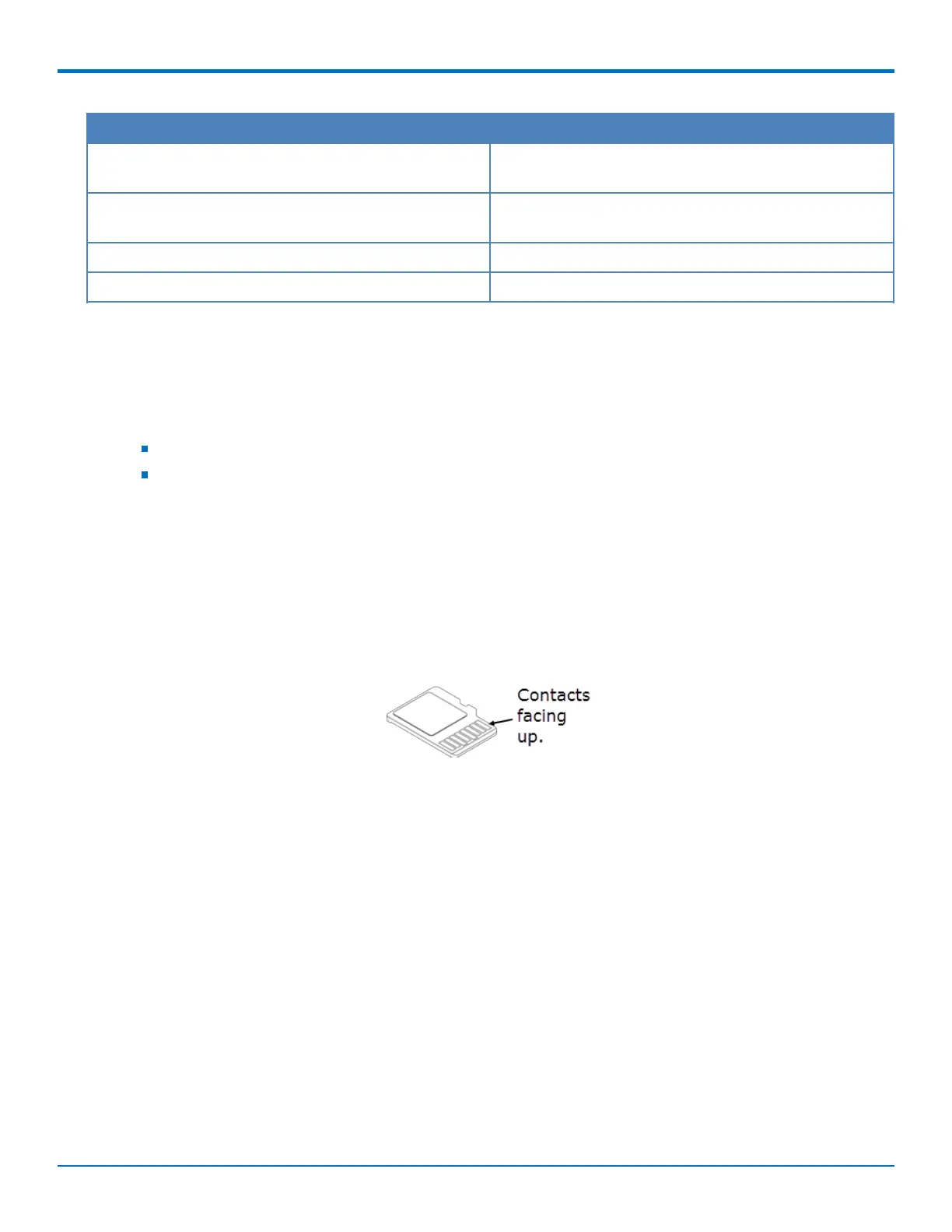
5. With the new SD card contacts facing up and toward the interior of the device, gently push the card into
the slot to secure it.
6. Reattach the MultiTech nameplate to the housing using the screw removed in step 2.



 To Next Page