SETTING UP AND CONFIGURING THE DEVICE
MultiConnect
®
Conduit
TM
Hardware Guide 25
Installing a Battery
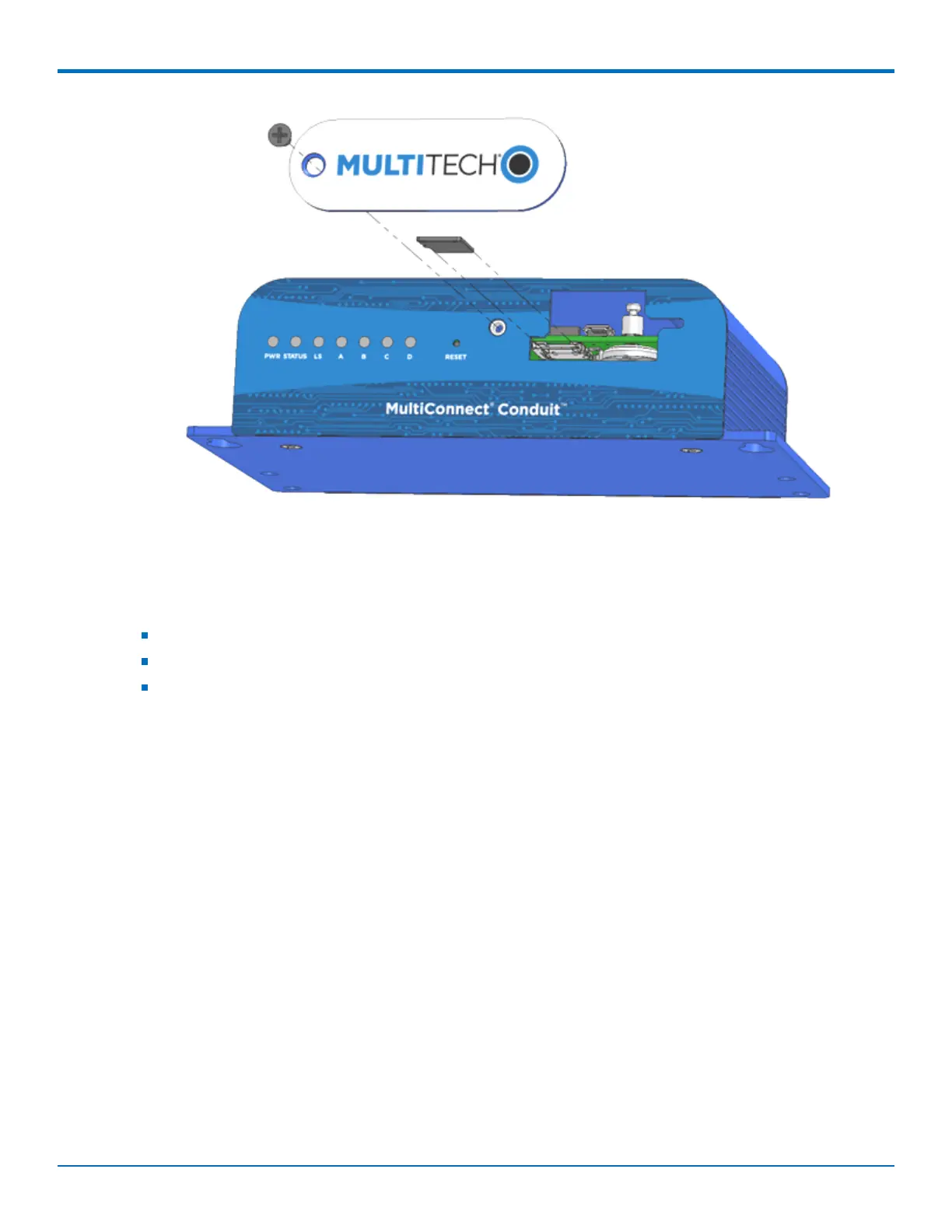
The battery is located in the Conduit housing.
You need:
Phillips screwdriver
If replacing a battery, non-metal tweezers or similar object
CR1632 standard coin lithium battery
To install or replace the battery:
1. If connected, disconnect power to the Conduit.
2. At the front of the Conduit housing, remove the screw that secures the MultiTech nameplate to the
housing.
3. The battery holder is located at the right side of the opening on the underside of the PC board. To
remove an existing battery, use non-metal tweezers as necessary.
4. Orient the new battery so that the positive (+) pole is facing down. Use your fingers or non-metal
tweezers to insert the battery into the holder.
5. Reattach the MultiTech nameplate to the housing using the screw removed in Step 2.



 To Next Page