Multi-Tech Systems, Inc. MultiModem Cell User Guide 11
Chapter 2 – Activation and Installation
Activate Your Wireless Account
Please refer to the wireless account Activation Notices included with your unit and located on the MultiModem CD. Choose the
one for your wireless network provider and follow the directions to activate your account.
Phone Numbers for the Wireless Modem
Every wireless modem will have its own unique phone number. The phone number may simply be given to you by your wireless
service provider or it may be on the SIM card or both. Wireless provider implementations may vary.
Insert the SIM Card into Holder [if required]
The MultiModem requires the power supply connection to begin operation. It also requires a SIM card (Subscriber Identity
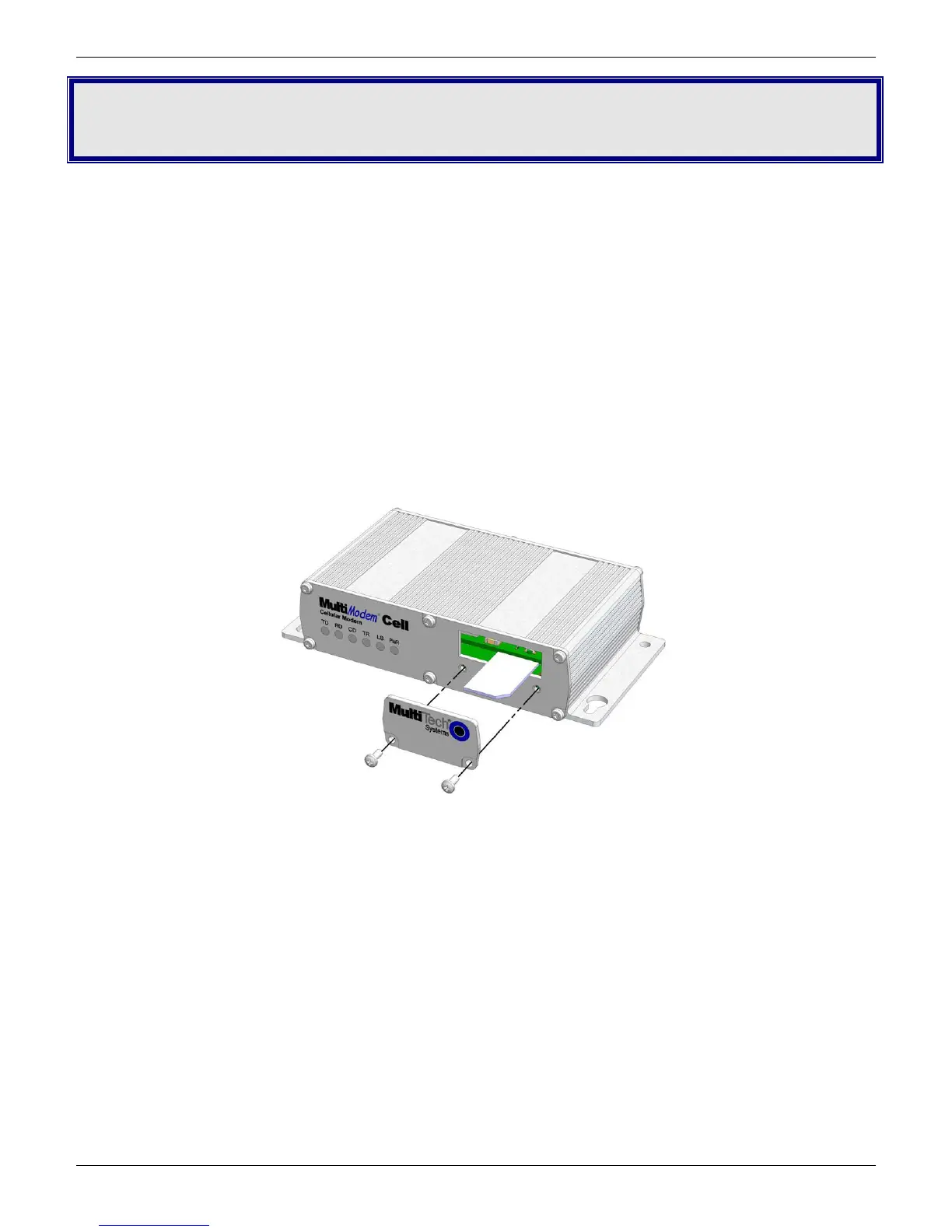
Module) to operate on a GSM network. To install the SIM, do the following:
1. Using a small Phillips screwdriver, remove the two SIM door screws and remove the SIM door.
Note: When changing a SIM, ensure that power is removed from the unit.
2. Insert the SIM card into the card holder. The above graphic illustrates the correct SIM card orientation.
3. Verify that the SIM card fits into the holder properly and then replace the cover.














 To Next Page