Chapter 2 – Activation and Installation
16 Multi-Tech Systems, Inc. MultiModem Cell User Guide
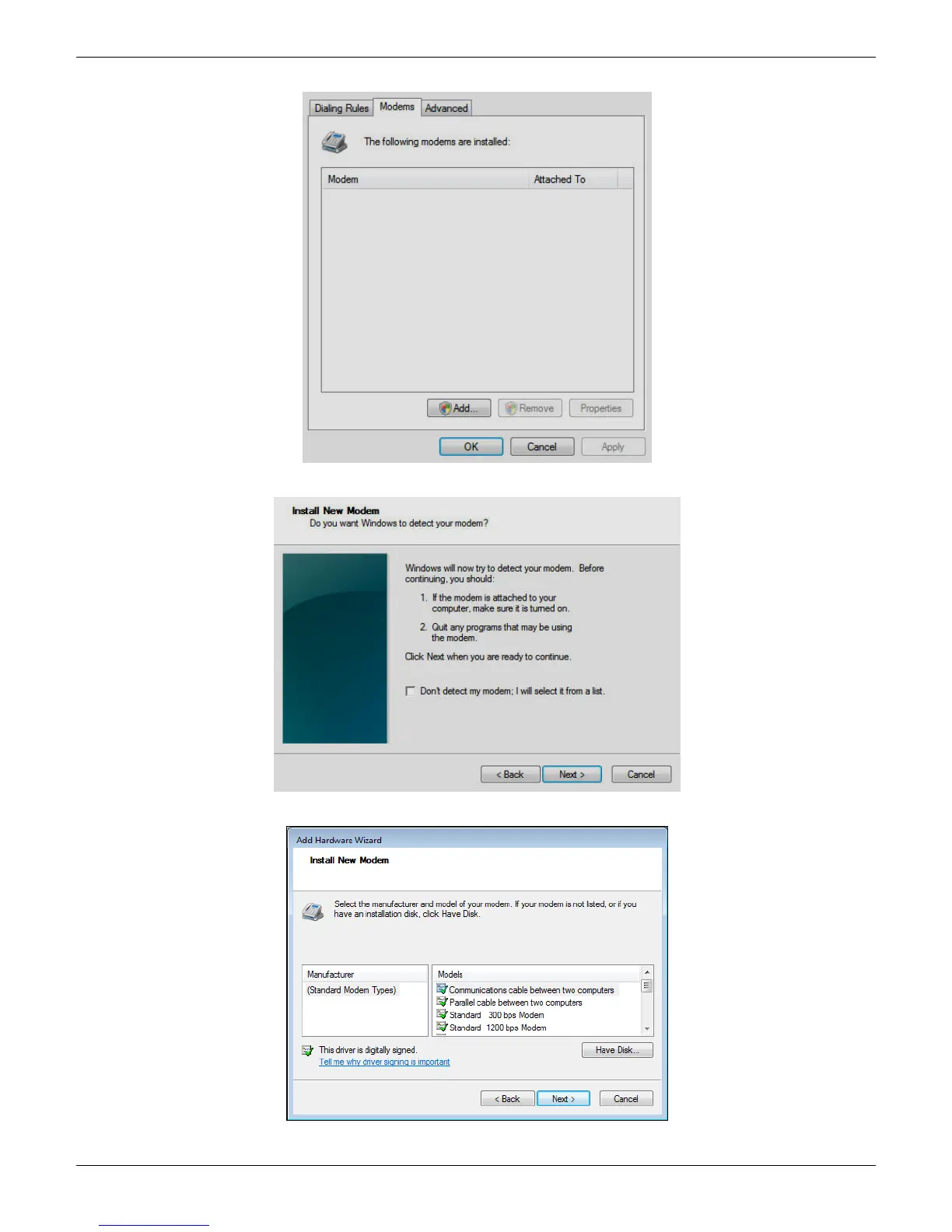
3. When this Phone and Modem Options screen appears, click on the Add button.
4. On the Install New Modem screen, click Don’t detect my modem, I will select it from a list. Then click Next >.
5. On the Install New Modem screen, click the Have Disk button to browse for the driver file on the MultiModem CD.
Then click Next>.














 To Next Page