18
19
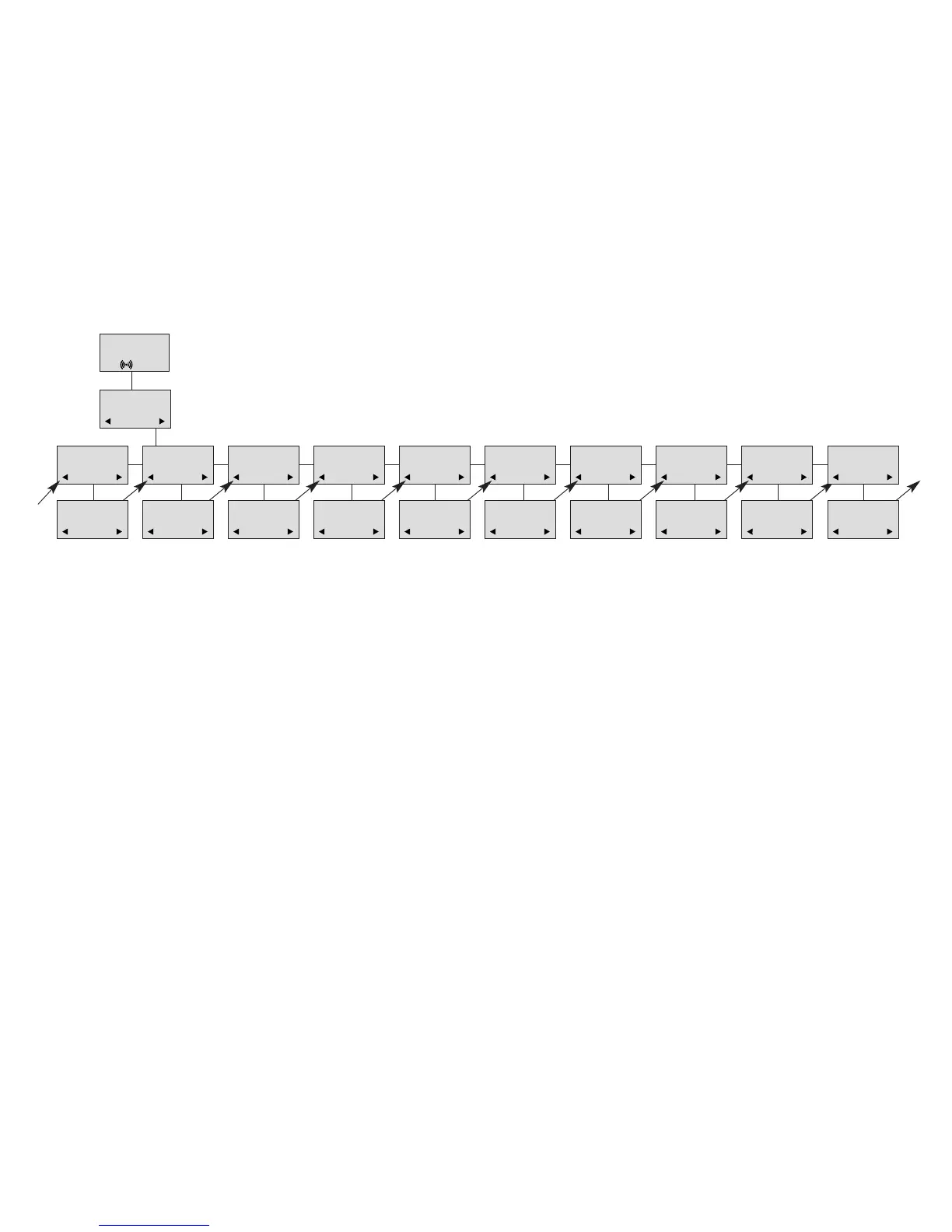
Profile set-up (fig)
CH74
SET PROFILE
BACKLIGHT
SET PROFILE
RINGER TONE
SET PROFILE
RINGER VOL
SET PROFILE
KEY CLICK
SET PROFILE
VIBRATOR
SET PROFILE
B-ANSWER
SET PROFILE
START VOL
SET PROFILE
OUT OF RANGE
BACKLIGHT
ON/OFF
RINGER TONE
1,2.........
RINGER VOL
❚❚❚❚❚
KEY CLICK
❚❚❚❚❚ - - -
VIBRATOR
ON/OFF
B-ANSWER
ON/OFF
START VOL
❚❚❚❚❚
OUT OF RANGE
TONE ON/OFF
PROFILE
SET UP
SET PROFILE
AUTO KEYLOCK
AUTO KEYLOCK
ON/OFF
SET PROFILE
LANGUAGE
SELECT
LANGUAGE
ENGLISH
7.4 Handset functions
BACKLIGHT
: Can be turned on/off using the > and <. Confirm with ().
R
INGERTONE: Scroll through the 9 different ringertones using > and <. Confirm with ().
RINGER VOL: Turn the volume up and down using > or <. Confirm with ().
KEY CLICK
: Turn the volume up and down using the > and <. Confirm with ().
V
IBRATOR: Can be turned on/off using the > and <. Confirm with () (vibrator only works on the CH74).
B- ANSWER: Can be turned on/off using the > and <. Confirm with (). When turned on, the telephone automatically
goes off hook when ringing. If subscribed to a system it automatically goes on hook when calls are terminated.
REMARK: Automatic on-hook is only reliable under defined conditions related to the interface settings between the
Control Unit and the PABX.
START VOL: Start volume can be adjusted using the > and <. Confirm with ().
OUT OF RANGE: The out of range indication can be turned on/off using the > and <. Confirm with (). With the out of
range indicator turned on, a beep will appear when the telephone is moving out of range of the base station, and
“OUT OF RANGE” will appear in the display.
AUTO KEYLOCK: The auto keylock function can be turned on/off using the > and <. Confirm with (). With auto keylock
turned on the handset will automatically lock the keys after 30 seconds. Press MENU
*
to activate the keys again.
LANGUAGE: (see page 36)


 To Next Page