28
29
7.8 Book
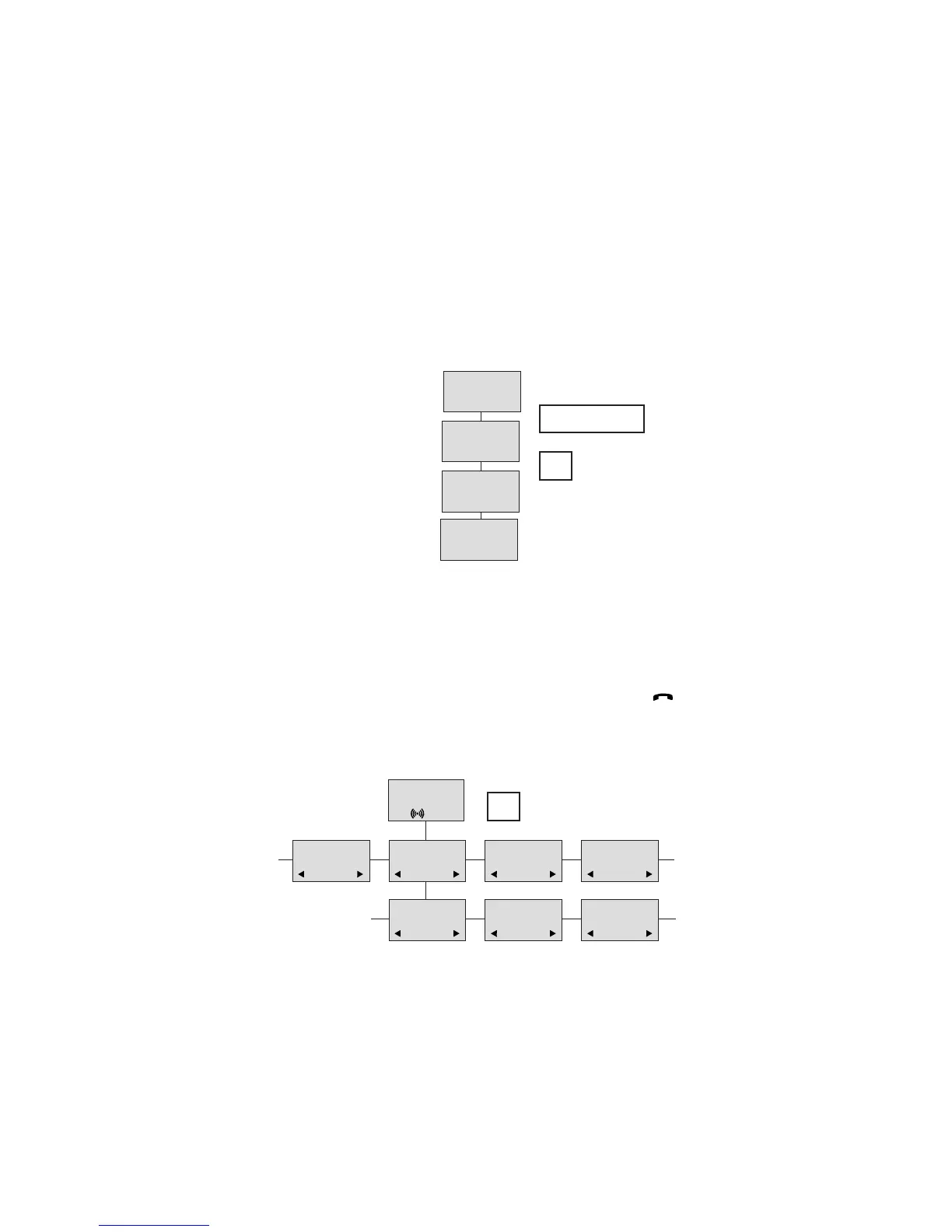
Storing a number (max. 24 digits) in the telephone book is done by pressing the number to be stored (in on hook),
then press the “>”- key followed by the “” key. The book can store up to 65 numbers with name. Typing of the
name and a confirmation is required. After storing the telephone will go back to standby mode. If the display shows
“MEMORY FULL”, it is necessary to delete one or
more numbers from the telephone book.
(See menu structure page 29)
NAME:
Multitone
STORE NO.?
75602850
75602850
CH74
>
75602850
BOOK
Read BOOK numbers: The telephone book is entered by pressing ”>”(book). For quick-search: press the first letter
of the name (using 1-9)(see chap. 8.2). Call the displayed person by pressing the key. It is also possible to
reach the telephone book menu in the main menu. Viewing and editing the telephone book can also be done while
in conversation.
CH74
BILL JENSEN
899
CARL NIELSEN
7561XXXX
PHILIP
HANSEN
8614XXXX
CLAUS
PEDERSEN
134
DELETE?
7561XXXX
EDIT NO.?
7561XXXX
EDIT NAME?
CARL NIELSEN
>
BOOK


 To Next Page