Page15 of 21
ITPP047 Thermal Printer Hardware Manual
Version 1.00
NOTE
Before connecting/disconnecting the power cord, make sure that power to the printer and all the devices
connected to the printer is turned off. Also make sure the power cable plug is disconnected from the AC
outlet.
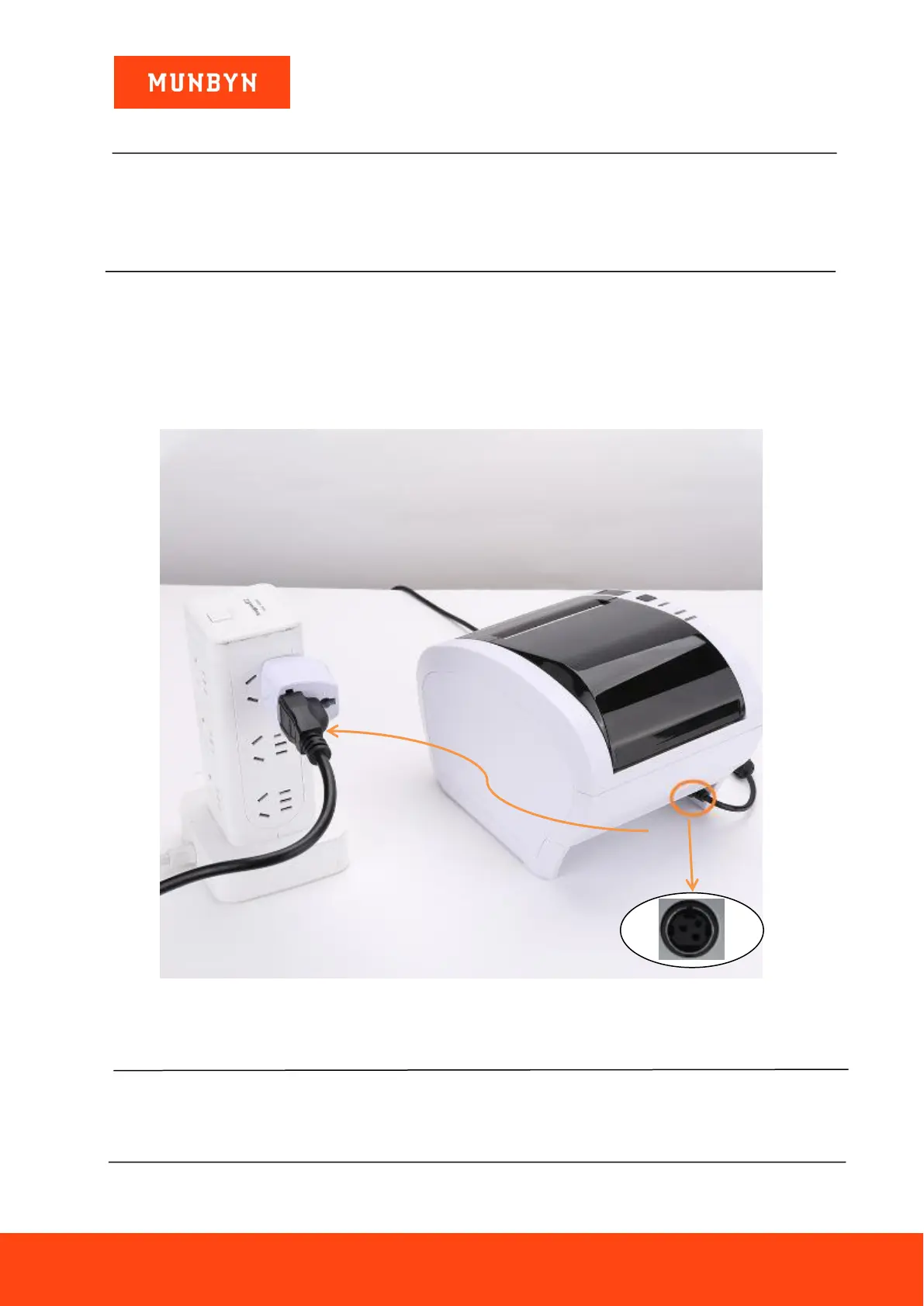
(1) Check the label on the back or bottom of the printer to make sure its voltage matches the AC outlet.
(2) Plug the appropriate end into the AC inlet on the back of the printer.
(3) Plug the power cord into a properly grounded AC outlet.
Figure 2- 2 Printer connect power
CAUTION
If the voltage shown on the label on the bottom of your printer does not match the voltage for your area,
contact your dealer immediately.



 To Next Page