9
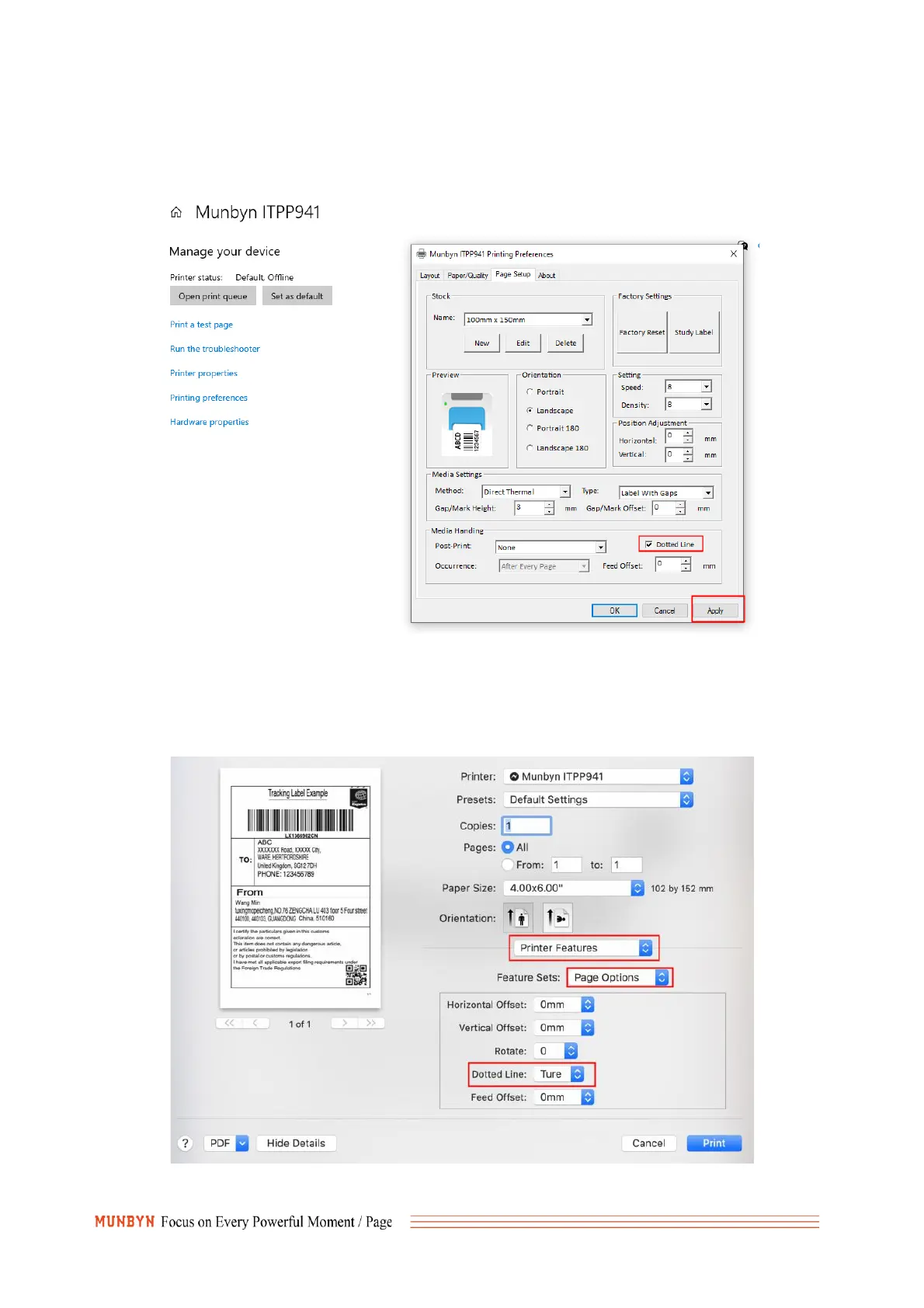
You can do this by entering:Settings -> Devices -> Printers and Scanners -> Right-click on 'Munbyn
ITPP941' -> Manager -> Printing Preferences -> Page Setup -> Dotted line->Apply.
If the problem is still not solved, please follow point 6 and reduce the density to 2 and the speed to 4.
(2)For Mac:
Access these settings directly from the print menu as shown below.
If the problem is still not solved, please follow point 6 and reduce the density to 2 and the speed to 4.


 To Next Page