15
Tips and Tricks
1. Q:How to create new customized label size?
A:When you load in a new direct thermal label, there are two actions that need to
take place:
1) Run the automatic label identification on the printer
2) Set proper label settings on your computer.
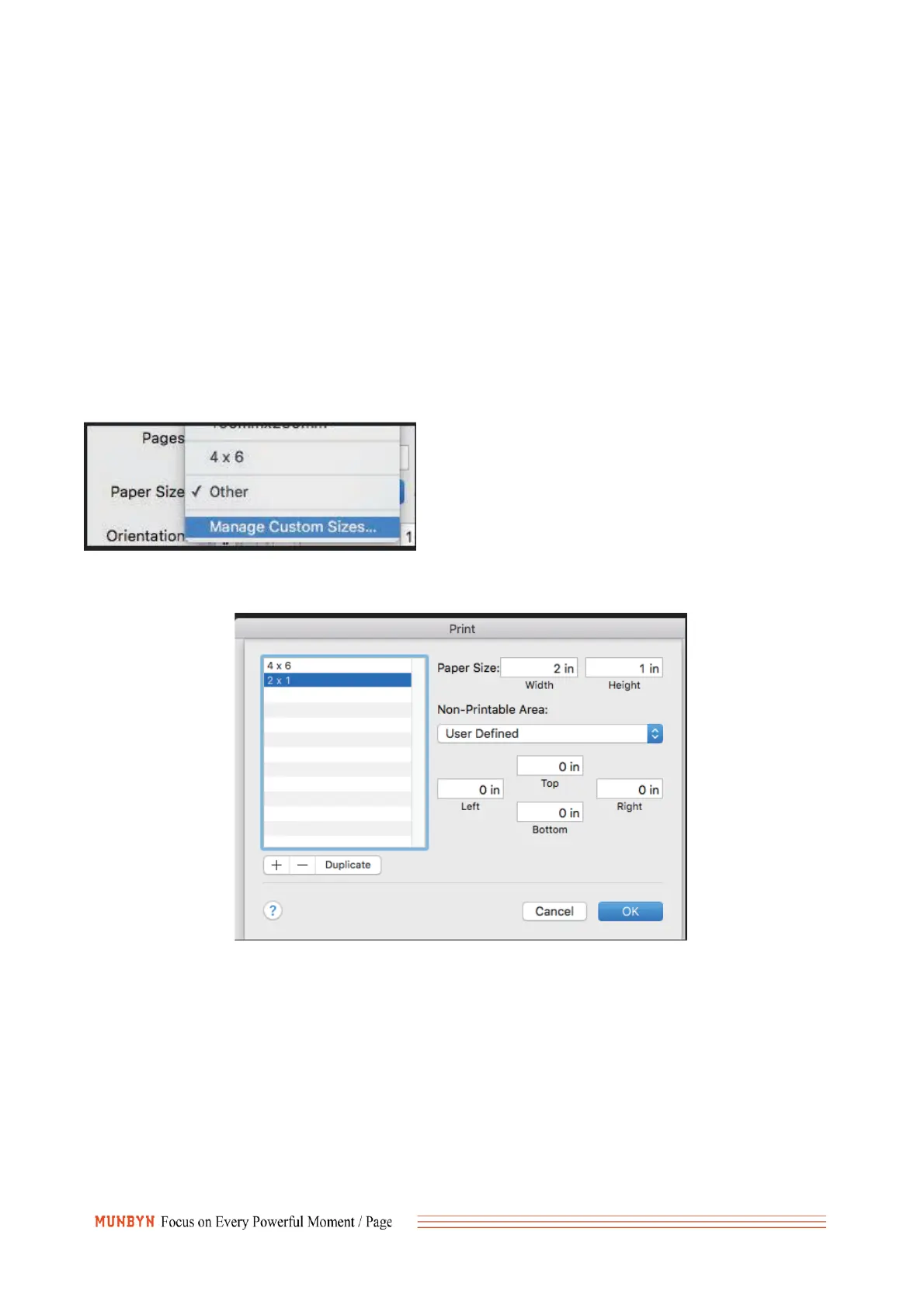
3) Mac: Set your custom label size
In your print prompt menu, click on "Manage Custom Sizes" next to Paper Size.
Enter your paper size and margins on the next window and click OK. You can rename
your new label size by double clicking on the highlighted item on the left.
4)Windows: Set Settings in your Windows Printer setting



 To Next Page