7
Printing Issue
Label Issue
1. Q: Why is my shipping label not completely printed? Too small or only part of
it?
A:There are two reasons:
1. The main reason is that the size of your shipping label file is not 4x6 inches. At this time, you need
to set the correct label size. This needs to be set on the shipping platform or online store, depending
on your file source. This part will be listed step by step in the platform setup.
2. It is not set correctly when switching to print labels of different sizes. Please see the settings below.
You should choose the size corresponding to your shipping label. Below I use the most common 4x6
inch shipping label as an example.
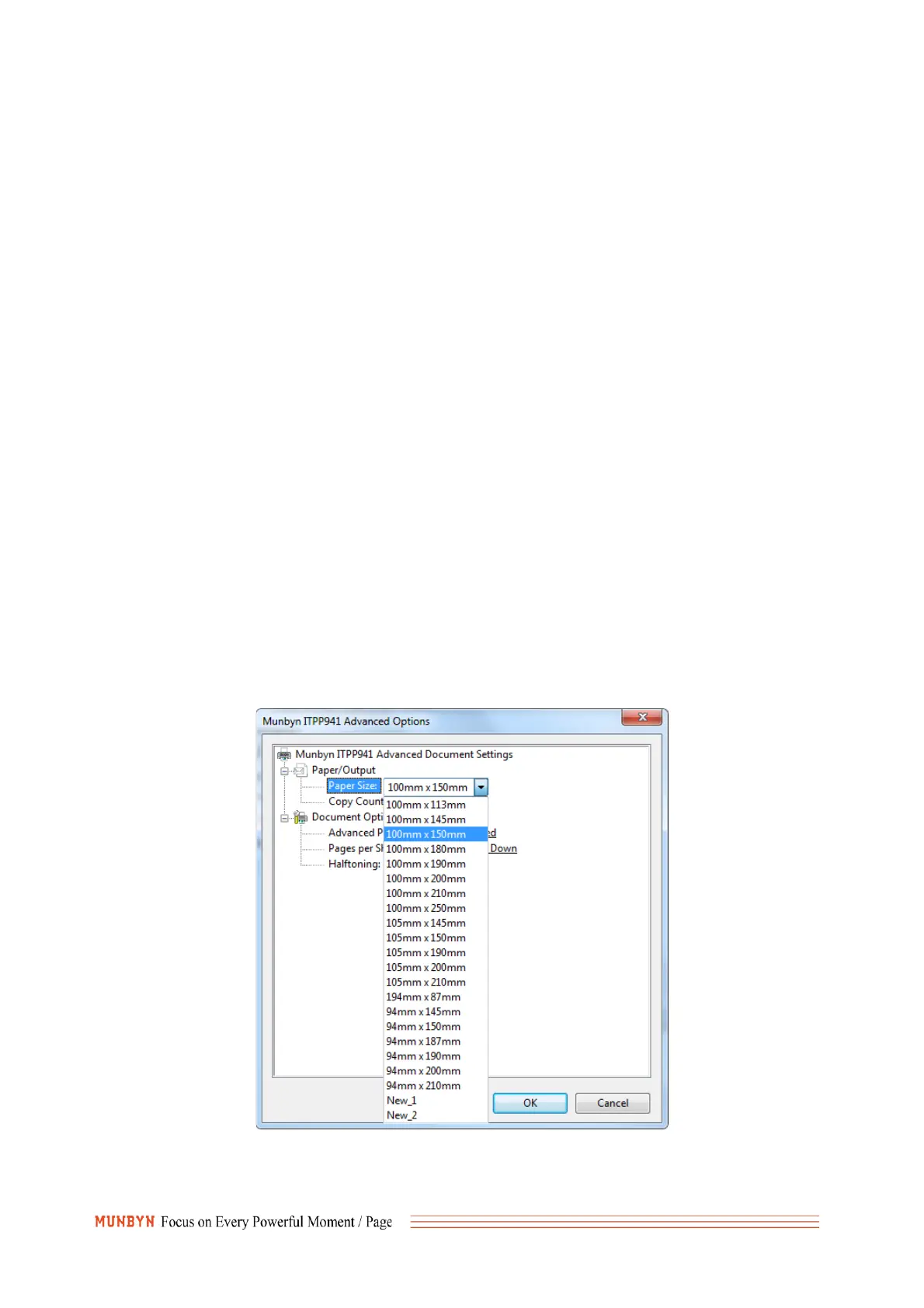
①For Windows: Go to the ‘printer preferences’ -> ‘advanced’ -> ‘paper size’, select the correct
size for the printer(please select the 4x6 inch or 100*150mm)
②For Mac: If you print a 4x6 size page. In the print dialogue, please be sure to select your



 To Next Page