Why can't I print continuously?
A:①. Please cancel all printing sequences in the computer.
②. Load no less than 4 consecutive sheets of paper into the printer.
③. After the paper is stable, press and hold FEED (red/green light), and when you hear a beep, release
the feed.
The printer will learn the size of the paper at this time, and the top of the printer will light up in green
when it stops. After the process is complete, the printer returns to normal.
Print Quality Issue
5. Q: why my labels are not sharp / dark?
A:Try to choose PDF file format for printing instead of PNG, PIG and other image formats.
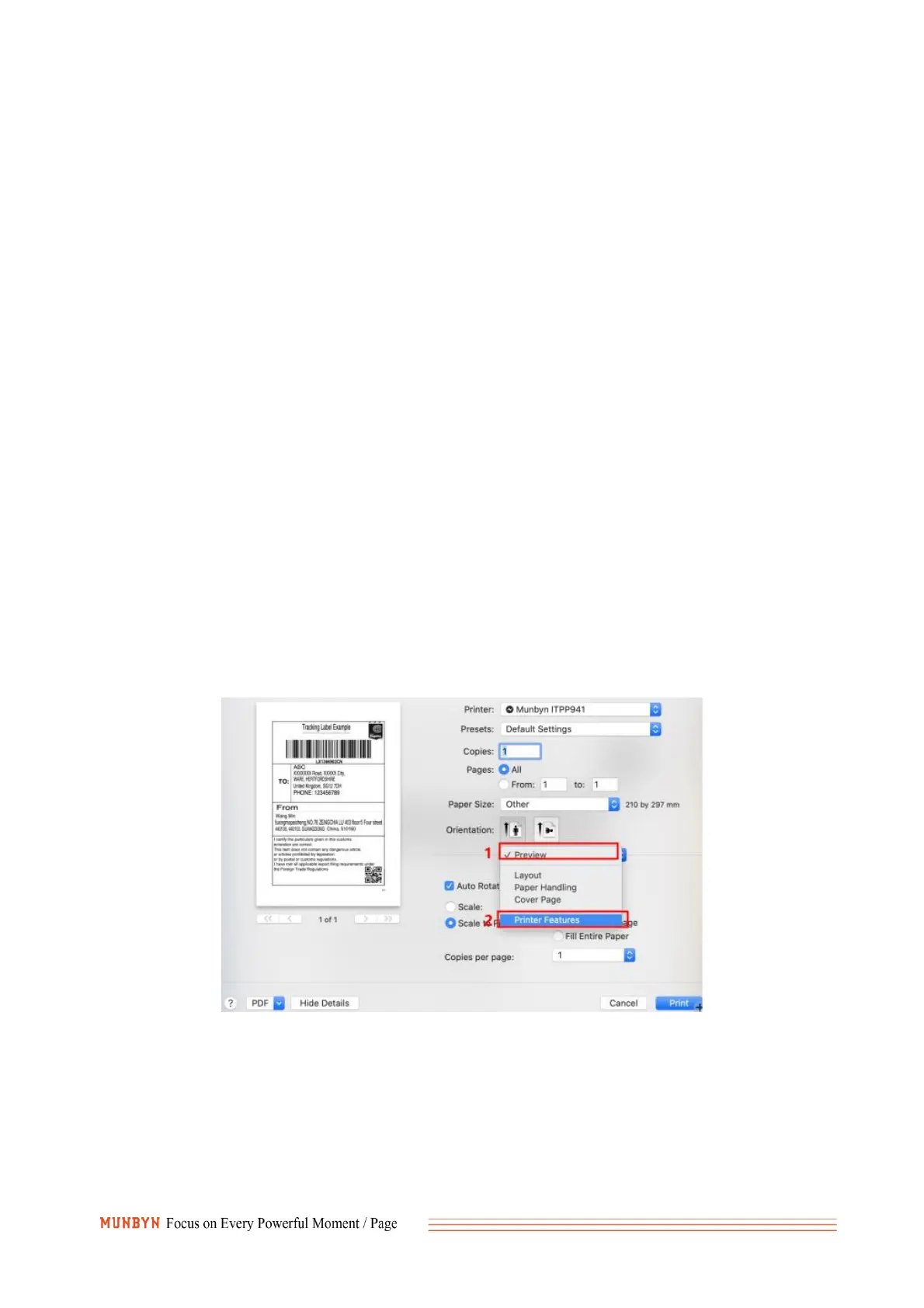
For Mac
1).Choose printer features.
2).Adjust the density, try to choose low speed while high density.



 To Next Page