© Munters AB, 2020 156
NOTE
In the illustration above, the curve is not gender-separated. If male and female birds are weighed
separately, two curves appear.
7. Click and define:
o
Day: Define the growth day used to determine the desired weight. Range 0 - 999
o
Weight: Set the expected bird weight. Range 0 - 30.0 kg/0- 66 lbs.
8. Click and edit the Curve Offset (option).
18.1.2 C
URVE
D
ISABLED
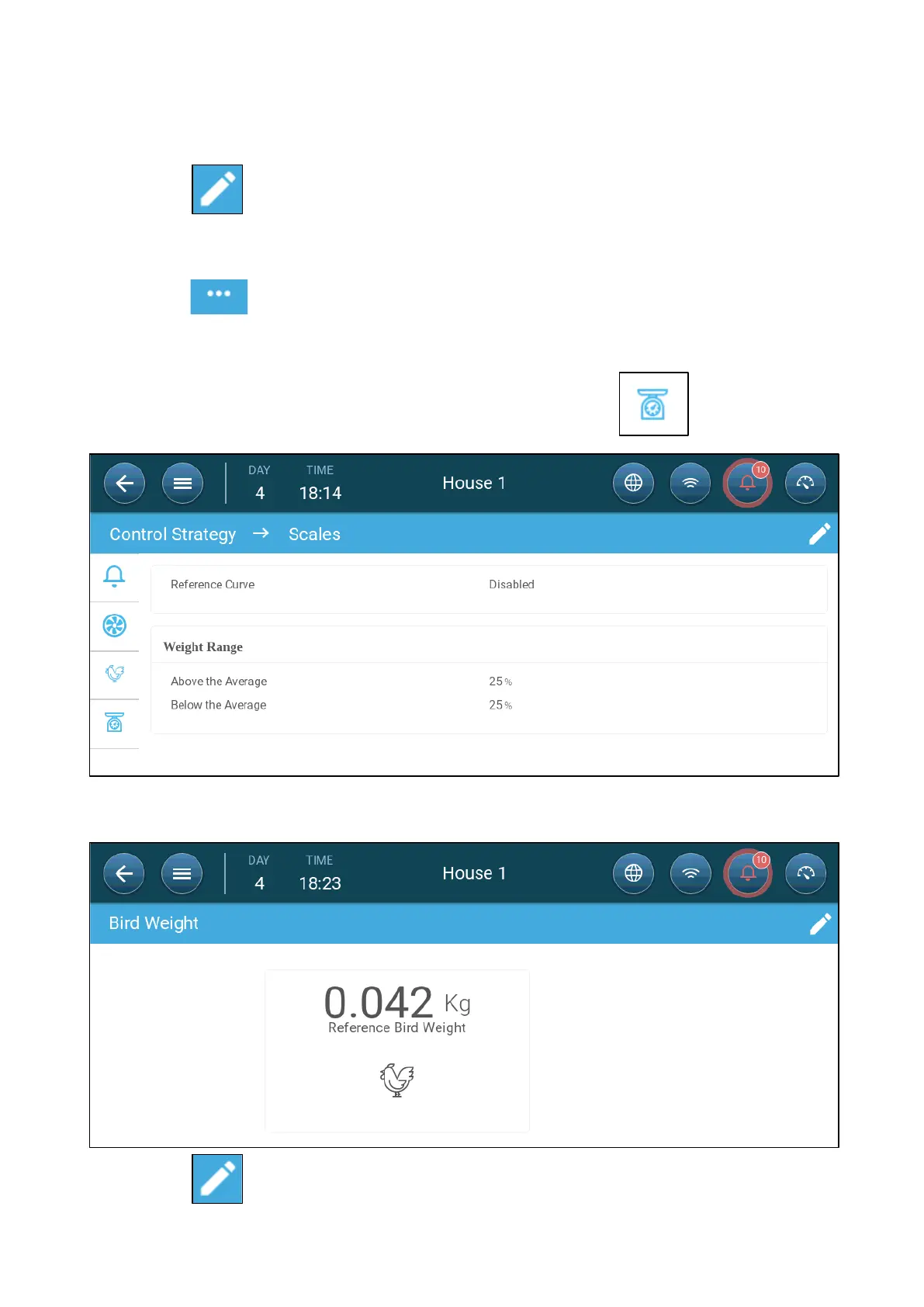
1. To disable a bird curve, go to System > Control Strategy > Scales .
2. Verify that the curve is disabled.
3. Go to Flock > Bird Weight.
4. Click to edit the reference weight.













 To Next Page