8
bizhub C754 Series/C554 Series/C364 Series/754 Series
Copy job shops
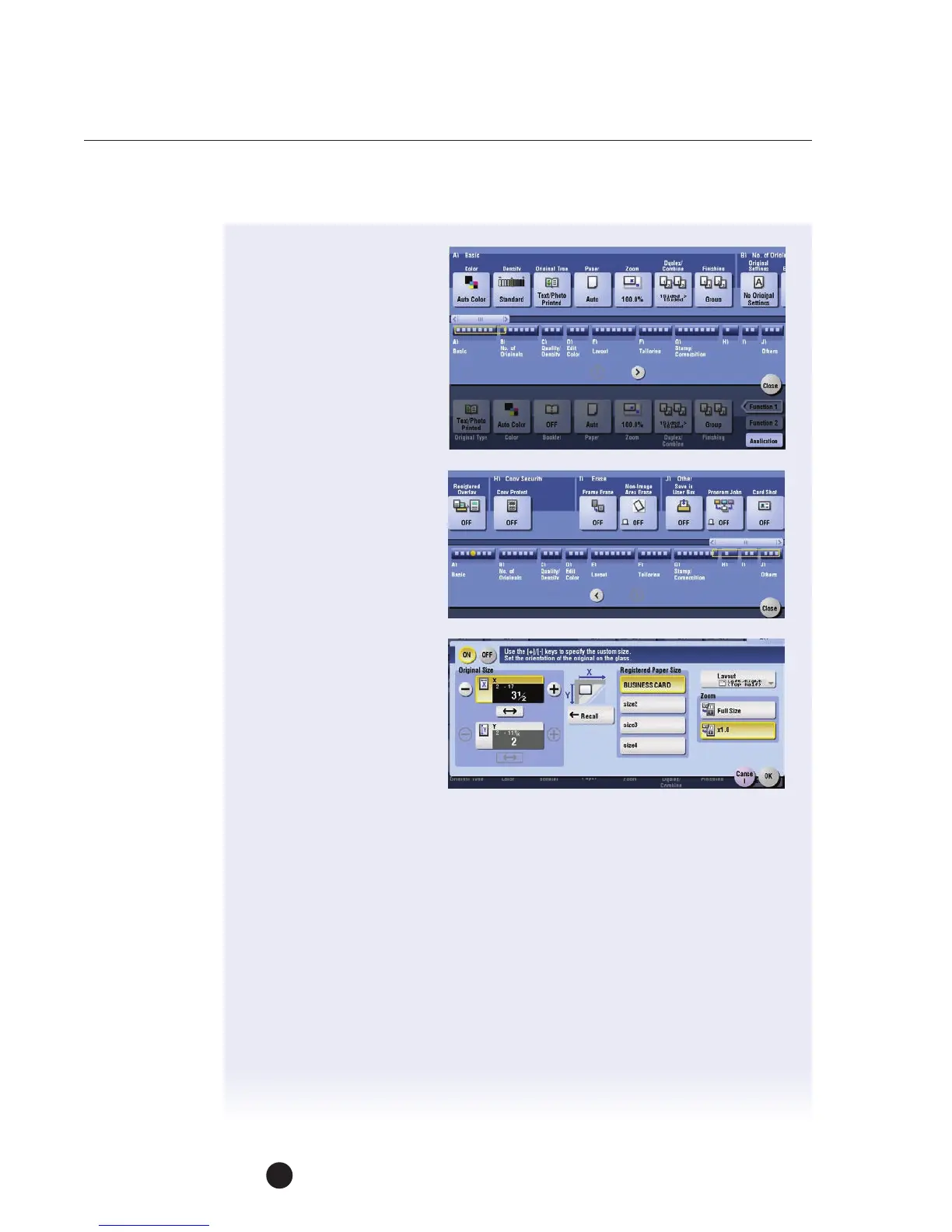
5. Touch Application tab.
6. Scroll (right) or press J
Icon to locate Card Shot.
7. Touch Card Shot.
8. Turn ON Card Shot
function.
If you're using a business
card your X and Y values
should be already visible.
a. If you're using another
type of card enter the
X and Y values now
using (– &
+
).
b. Touch any Size button
to lock in your value.
c. Touch OK
9. Press Start to scan
thefront side.
10. When prompted, flip
card over to back side.
11. Press Start.
12. When prompted, touch Finish and press Start.


 To Next Page
 Loading...




