6
bizhub C754 Series/C554 Series/C364 Series/754 Series
Copy job shops
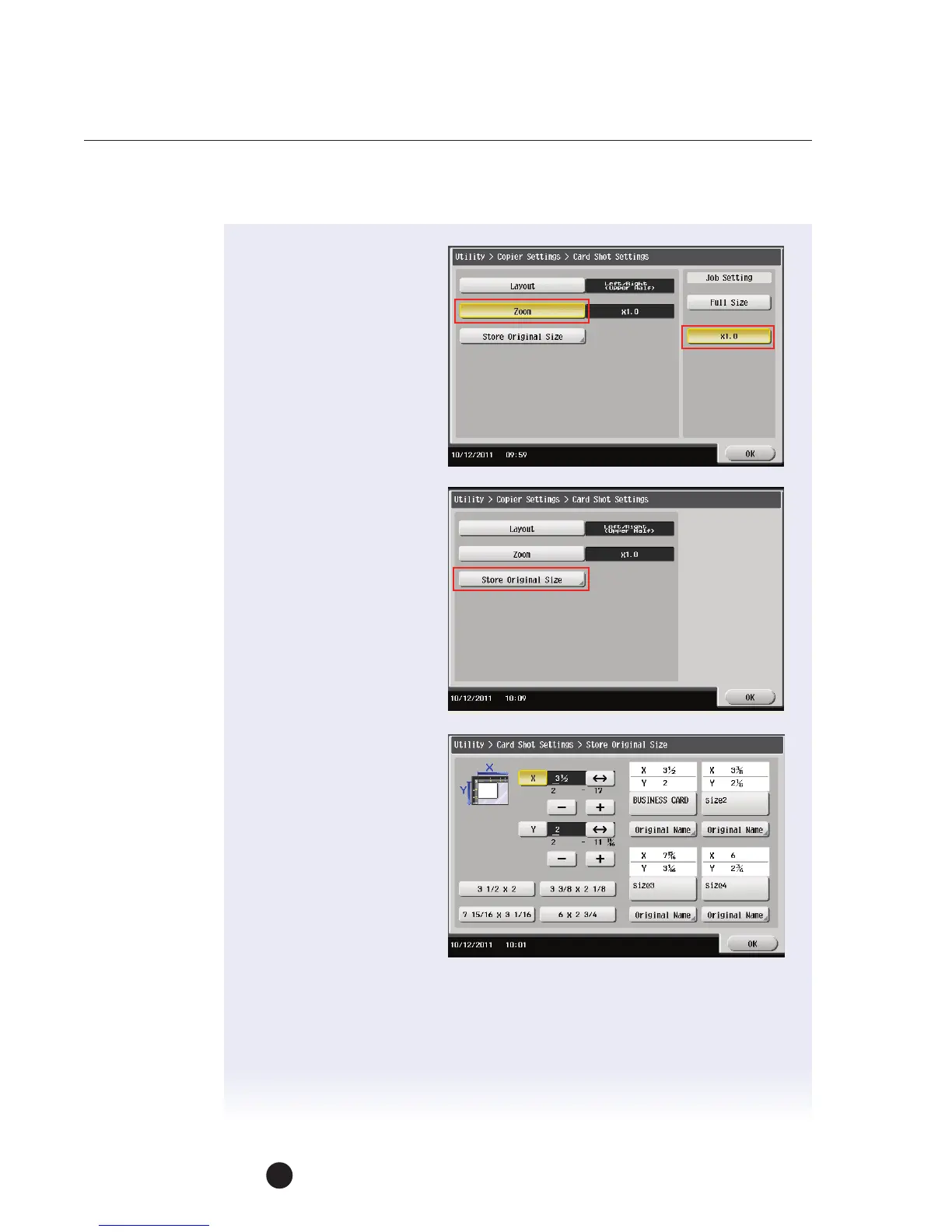
11. Touch Zoom.
12. Touch x1.0.
NOTE: If you select Full
Size, it will enlarge the
image to fit the paper
selected.
13. While you are here, touch
Store Original Size.
14. Let’s set up a button
for a business card:
a. Set X to 3.5.
b. Set Y to 2.
c. Touch Size One button
to lock in settings you
just made.
d. Touch Original
Name under the
Size 1 button.
e. Enter Business Card.
f. Touch OK 3 times and the Close 2 times.
NOTE: Make this setting permanent, create a Shortcut button.


 To Next Page
 Loading...




