00-02-0795 - 16 - 10-18-11
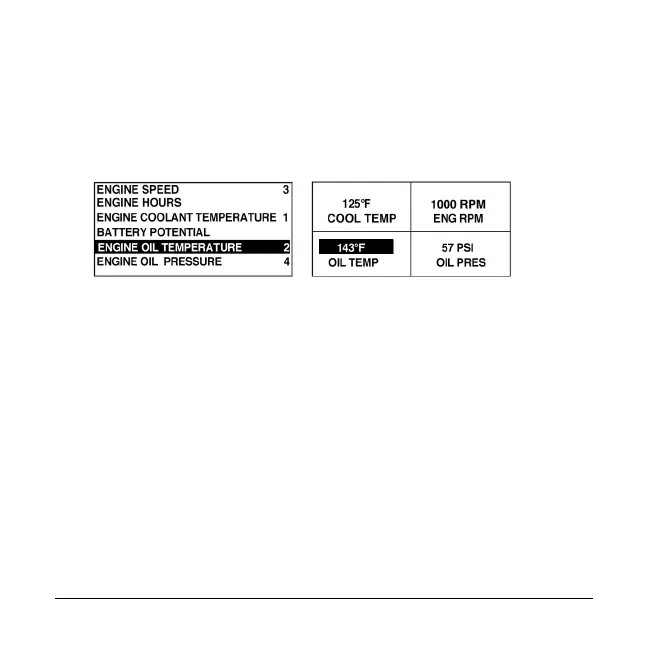
5. Touch Enter and a list of parameters will appear.
The parameter that is highlighted is the selected
parameter for the screen. The number to the right of the
parameter indicates the quadrant in which it is
displayed.
1 = upper left quadrant
2 = lower left quadrant
3 = upper right quadrant
4 = lower right quadrant
6. Use the Arrow Keys to highlight the new parameter to
be placed in the quadrant that was selected in step 4
and touch Enter.
7. Touch Menu to return to the 4-UP CUSTOM SETUP
screen.



 To Next Page