Section 78 00-02-0859
2016-06-30 -11-
Utilities
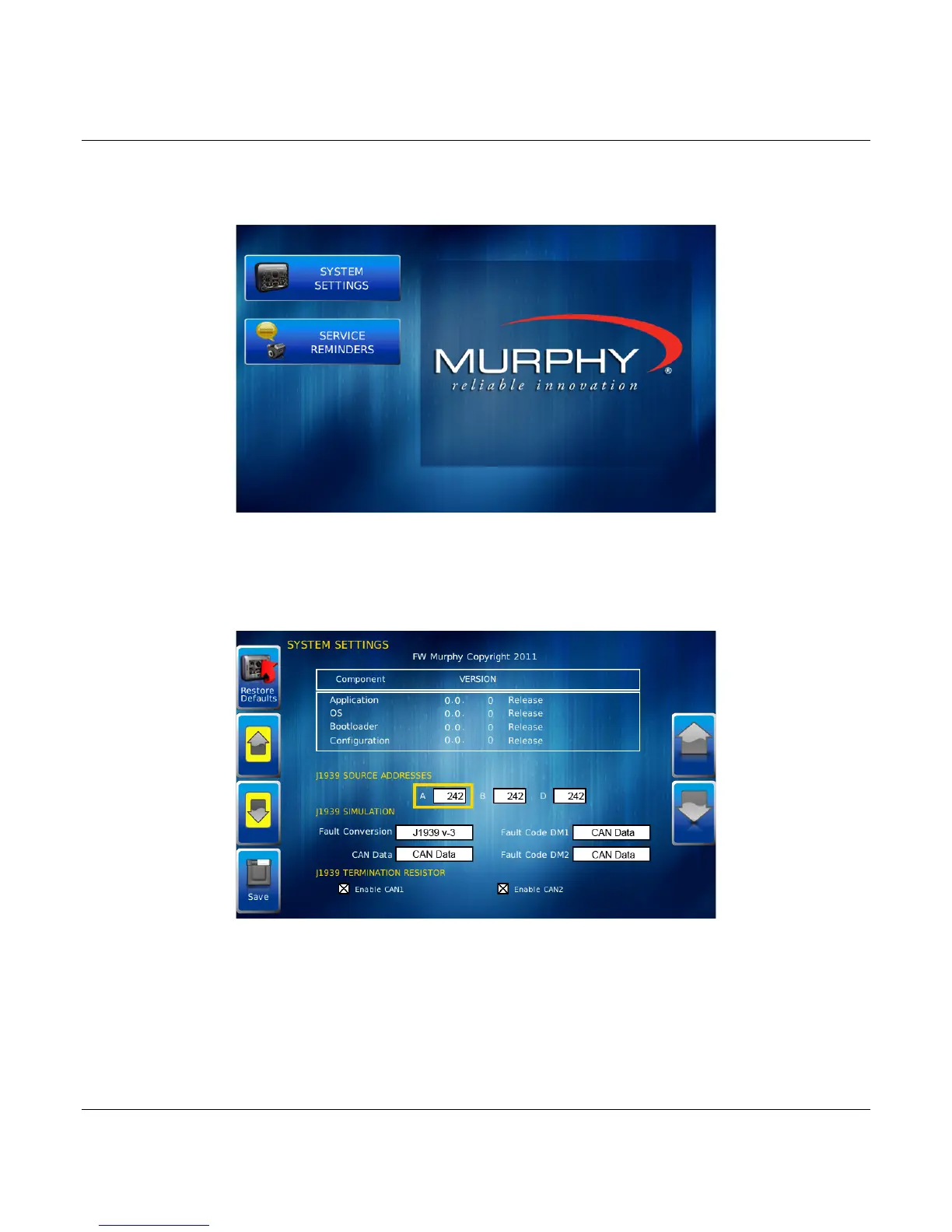
Utilities allow you to reset external gauges and configure communication settings. It is typically
only accessed when the unit is first installed in order to configure the unit. The following sub-
menu is displayed when Utilities is selected.
System Settings
The System Settings screen displays the current software version loaded on the PV750
display. You can set individual settings for the available options and Save, or choose to select
Restore Defaults for the factory settings.
The yellow Up and Down keys on the left allow you to move the cursor through J1939 Source
Addresses fields. While the cursor is highlighting a field, the gray Up and Down keys scroll
through available options. Once all the options have been selected, press Save.



 To Next Page