Section 78 00-02-0859
2016-06-30 -1-
PV780 Features and Operations
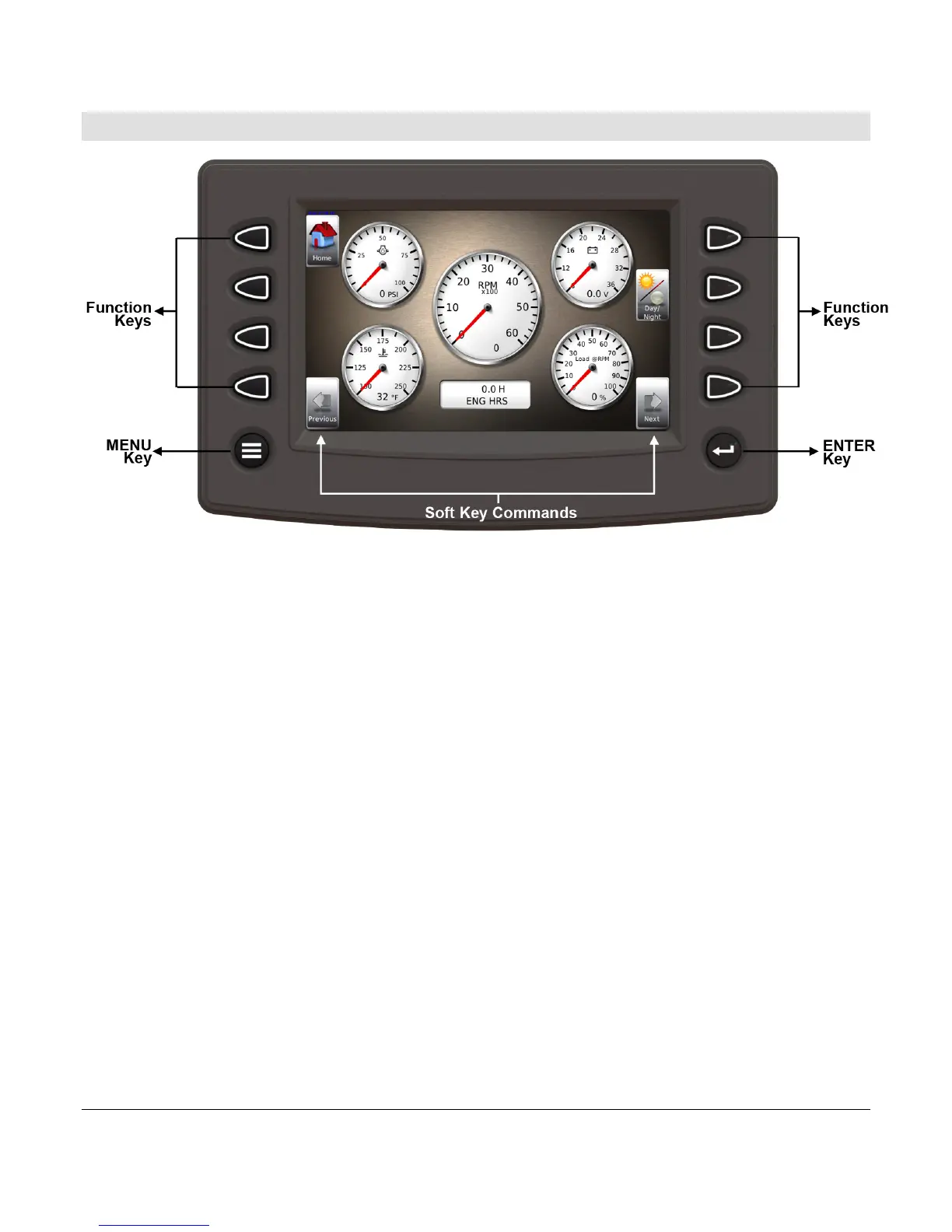
Flat Screen Display
A color screen displays gauges, soft key commands, and fault messages, as well as menu
options for setup and configuration.
Soft Key Commands
Columns of vertical commands may be located to the left and/or right of the display. They will
change according to the options available for the screen being displayed.
Function Keys
The function keys correspond to the soft key commands and allow selections to be made
accordingly.
MENU Key
Pressing the MENU key at any time displays the list of menu options.
ENTER Key
Pressing the ENTER key will select the option displayed much like the ENTER key on a
keyboard. The ENTER key also brings up the soft keys. Press once to display the left and
right arrows. Press twice to display all the soft keys. Press three times to hide all the soft
keys.



 To Next Page