En 23
4-2 Screen Setup
TV Type Setting
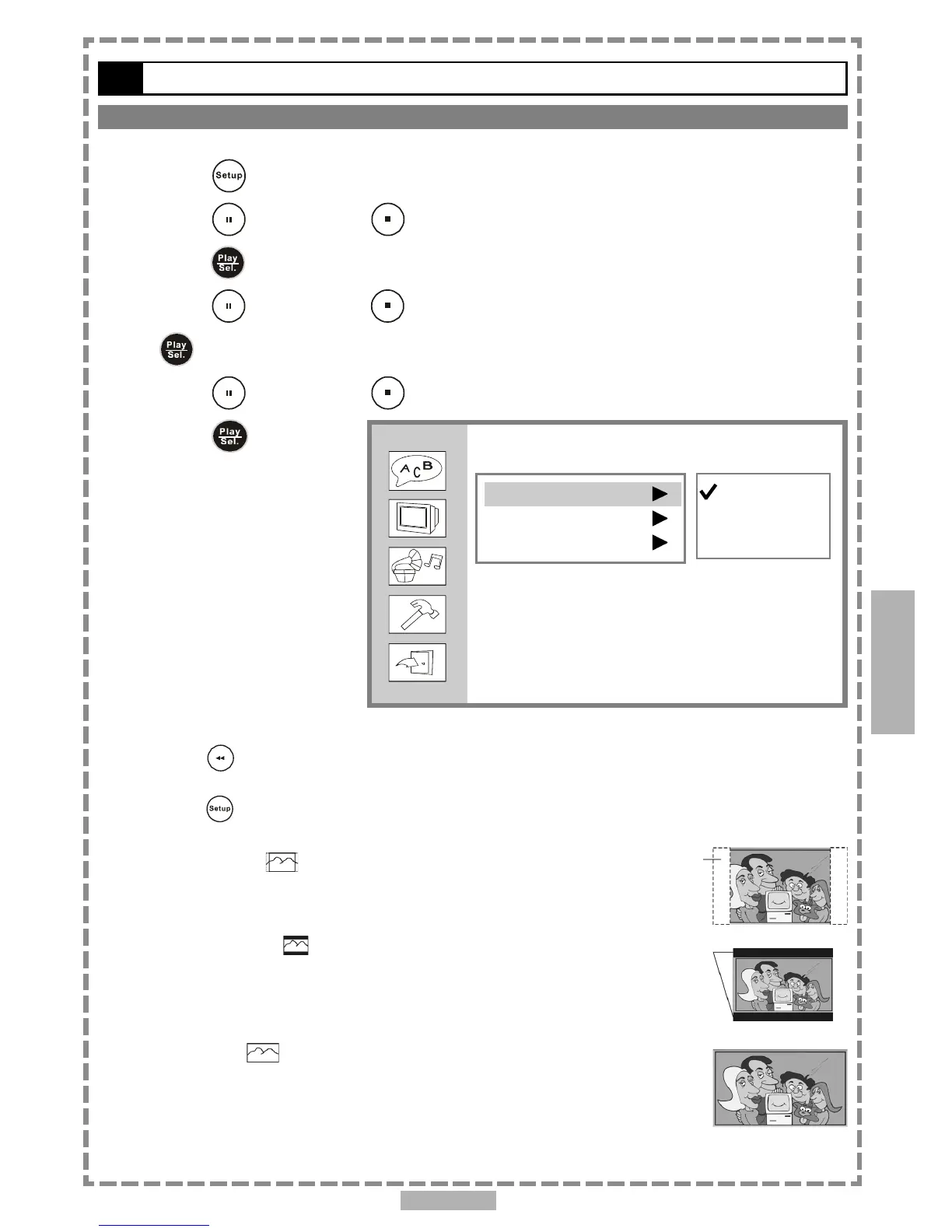
The kind of TV set (4:3 or 16:9) connected to the player and a wide-screen picture type for a 4:3 TV can be selected.
1 Press <SETUP> in the stop mode.
2 Press <UP> button / <DOWN> button to select “Screen Setup”, and then
press <PLAY/SEL.>.
3 Press <UP> button / <DOWN> button to select “TV Type”, and then press
<PLAY/SEL.>.
4 Press <UP> button / <DOWN> button to select a preferred TV display.
5 Press <PLAY/SEL.>.
*To return to the SETUP MENU screen
Press <LEFT> button.
*To finish the setup operation
Press <SETUP> to exit from SETUP MENU screen.
4:3 Pan Scan
Select 4:3 PS for a conventional size TV set. Video material formatted in the pan
& scan style is played in that style (the left and right edges are cut off).
4:3 Letter Box
Select 4:3 LB for a conventional size TV set. Black bands appear at top and bottom
of screen (letter-box style).
Video material not formatted in the pan & scan style is played in the
letter-box style.
16:9 Wide
Select 16:9 for a wide-screen TV set. Played in “FULL” size.
Setting the wide-screen TV to “FULL” mode is also necessary.
Each screen shows an example when the video material for a wide-screen
is played.
4
Setup
Screen Setup
TV Type
TV System
Video Output
4:3 PS
4:3 LB
16:9



 To Next Page