En 34
4-5 LCD Setup-continued
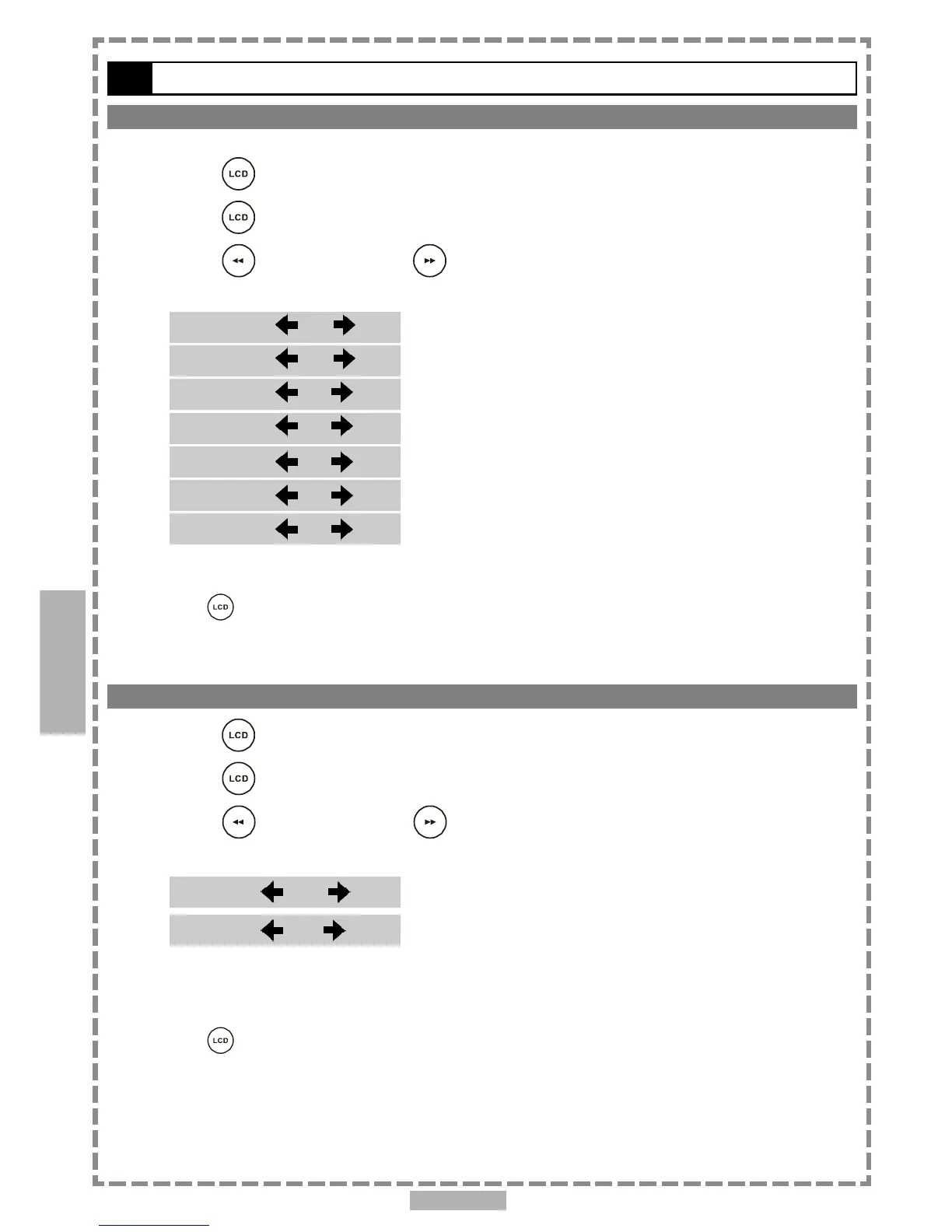
Bright Setting
You can manually increase or decrease the brightness of the video.
1 Press <LCD>, the LCD setting information shows on the screen.
2 Press <LCD> a number of times to select “BRIGHT”.
3 Press <LEFT> button or <RIGHT> button to choose the preferred bright
setting, and then the panel will change to the selected setting.
*To finish the setup operation
Press <LCD> again until the LCD setting information disappears.
Setup
4
<< NOTE: When you choose “ON” in the panel setting, the LCD turns off and the power indicator will
blink in yellow light.>>
*To finish the setup operation
Press <LCD> again until the LCD setting information disappears.
Panel Close Setting
1 Press <LCD>, the LCD setting information shows on the screen.
2 Press <LCD> a number of times to select “CLOSE”.
3 Press <LEFT> button or <RIGHT> button to choose the preferred panel
setting, and then the panel will change to the selected setting.
BRIGHTBRIGHT
BRIGHTBRIGHT
BRIGHT
::
::
:
+3 +3
+3 +3
+3
BRIGHTBRIGHT
BRIGHTBRIGHT
BRIGHT
::
::
:
+2 +2
+2 +2
+2
BRIGHTBRIGHT
BRIGHTBRIGHT
BRIGHT
::
::
:
+1 +1
+1 +1
+1
BRIGHTBRIGHT
BRIGHTBRIGHT
BRIGHT
::
::
:
0 0
0 0
0
BRIGHTBRIGHT
BRIGHTBRIGHT
BRIGHT
::
::
:
-1 -1
-1 -1
-1
BRIGHTBRIGHT
BRIGHTBRIGHT
BRIGHT
::
::
:
-2 -2
-2 -2
-2
BRIGHTBRIGHT
BRIGHTBRIGHT
BRIGHT
::
::
:
-3 -3
-3 -3
-3
CLOSE: CLOSE:
CLOSE: CLOSE:
CLOSE:
OFFOFF
OFFOFF
OFF
CLOSE: CLOSE:
CLOSE: CLOSE:
CLOSE:
ONON
ONON
ON



 To Next Page