En 24
4-2 Screen Setup-continued
TV System Setting
The player provides “PAL”, “NTSC” and “AUTO” settings for your selection. When connecting the portable DVD
player to your TV, set the “TV SYSTEM” from the on-screen display to the format that is compatible with your TV’s
system. Set ”NTSC” from on-screen display if connecting to NTSC TV system, set “PAL” if it is PAL TV, or set
“AUTO” if it is a multi-TV system that supports both PAL and NTSC.
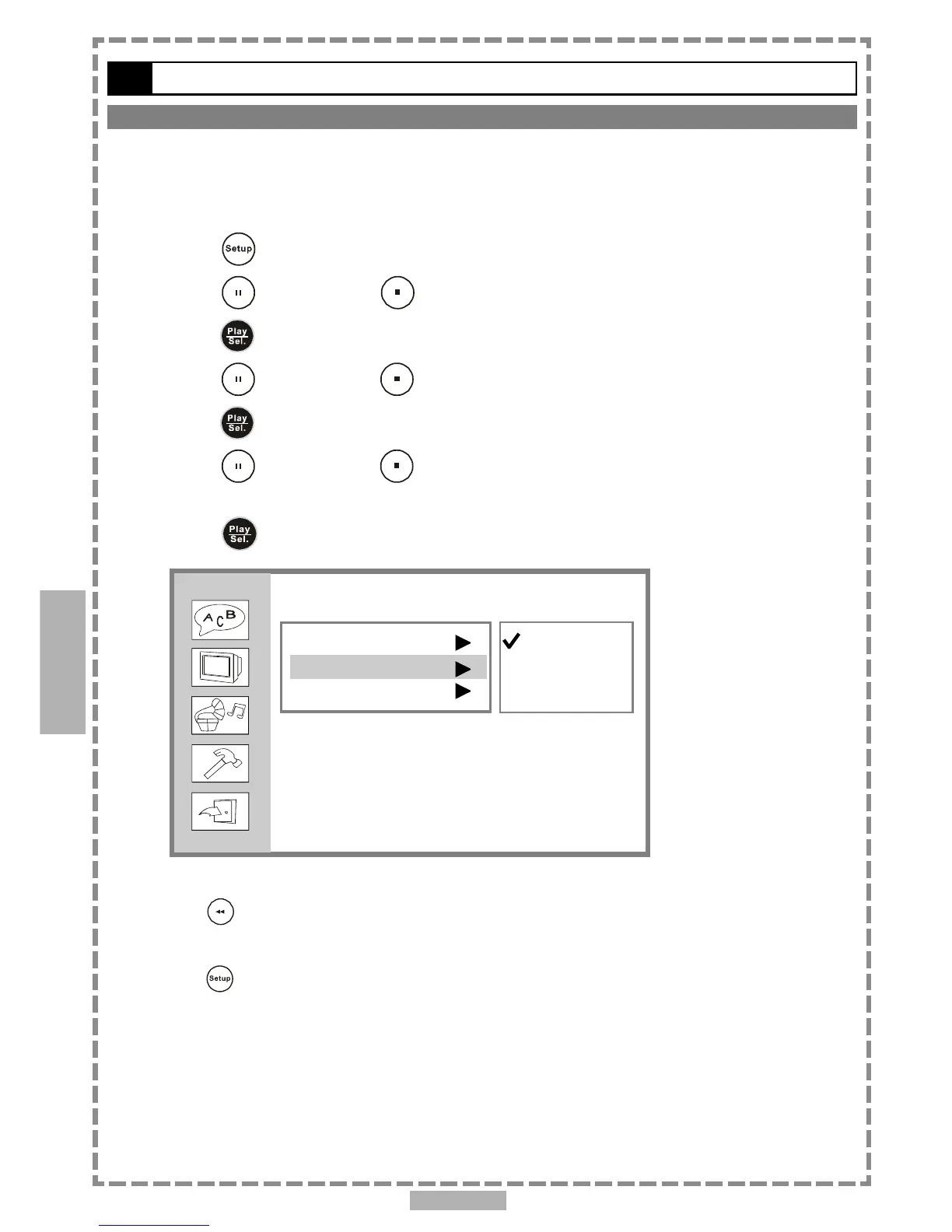
1 Press <SETUP> in the stop mode.
2 Press <UP> button / <DOWN> button to select “Screen Setup”, and then
press <PLAY/SEL.>.
3 Press <UP> button / <DOWN> button to select “TV System”, and then
press <PLAY/SEL.>.
4 Press <UP> button / <DOWN> button to select the appropriate TV
system for your clearest view.
5 Press <PLAY/SEL.>.
*To return to the SETUP MENU screen
Press <LEFT> button.
*To finish the setup operation
Press <SETUP> to exit or select EXIT from SETUP MENU screen.
Setup
4
Screen Setup
TV Type
TV System
Video Output
NTSC
PAL
Auto



 To Next Page