Driver Download and Installation Procedure
Please go to our website to download the MUTEC USB Audio Class 2.0 Driver for Windows as follows:
www.mutec-net.com > Products > USB Interfaces > MC-3+USB > Downloads
Or for direct access type in the following URL into your browser:
http://http://www.mutec-net.com/product_mc-3-plus-usb.php?lng=en
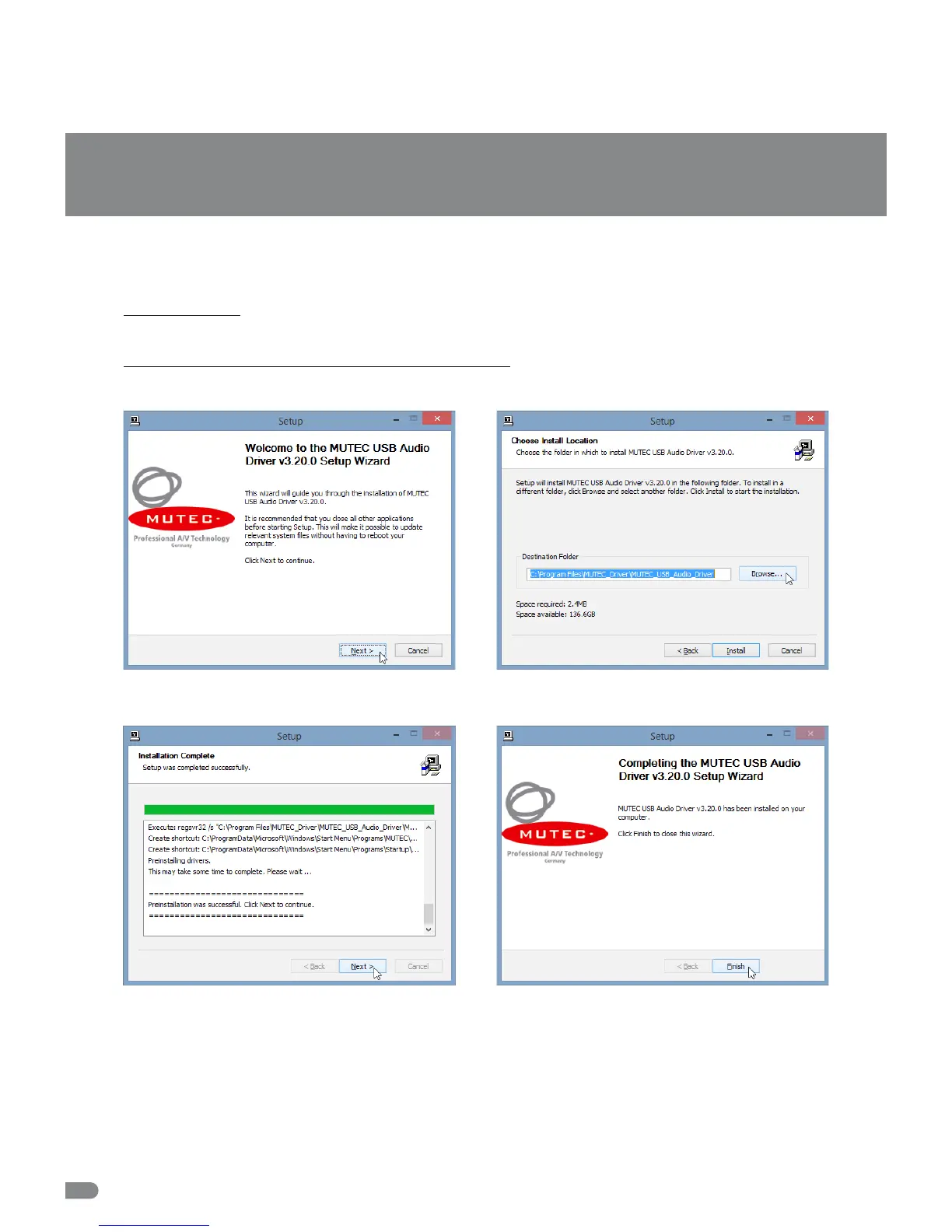
After successful download double click on the ZIP file for unpacking and follow the instructions during installation procedure:
USB Driver Installation & Windows Settings
16
Setup-welcome-window, click »Next« to start unpacking
procedure.
Select destination folder for driver files, if not the right one
is suggested and click »Install«.
After successful preinstallation click »Next« to finish the
installation.
Installtion finalized, click »Finish«.


 To Next Page