
 Need help?
Do you have a question about the Mutec MC-3+ Smart Clock USB and is the answer not in the manual?
General safety instructions to reduce risk of fire, shock, and ensure proper operation.
Handling the device in low-temperature environments and preventing condensation before operation.
Details on power supply requirements, voltage range, and grounding for safe operation.
Product compliance with electromagnetic compatibility standards and cable recommendations.
Covers the product's two-year warranty, coverage, and non-transferability to subsequent owners.
Outlines requirements for warranty service, including registration and proof of purchase.
Lists conditions not covered by warranty and provides instructions for obtaining repair service.
A quick guide to using the MC-3+USB for computer audio playback via USB.
Instructions for downloading and installing the necessary USB Audio Class 2.0 driver for Windows.
Steps for connecting the MC-3+USB to a PC/MAC and a DAC using digital audio outputs.
Guide to physically setting up the device and configuring basic operational modes using front panel buttons.
Steps to set the MC-3+USB as the default playback device in Windows sound settings.
Steps to set the MC-3+USB as the default output device in Mac OS X system preferences.
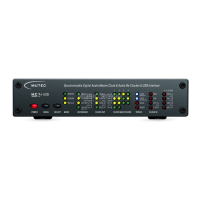
An overview of the MC-3+ Smart Clock USB, its features, and its role in digital audio.
Highlights the main features like re-clocking, USB interface, and clock generation capabilities.
Lists further capabilities such as format conversion and compatibility with different platforms.
Explains various applications for the MC-3+USB in digital audio setups and studios.
Lists other MUTEC products like signal distribution amplifiers and format converters.
Instructions on registering the product online for warranty services and technical support.
A list of all items included in the MC-3+ Smart Clock USB package for verification.
Recommendations for optimal physical placement, rack mounting, and ensuring adequate ventilation.
Detailed instructions for connecting Word Clock, AES/EBU, and S/P-DIF interfaces using appropriate cables.
General guidelines for selecting and using cables for optimal signal quality and synchronization.
Detailed description of the front panel buttons, LEDs, and their functions for operation.
Identification and description of all input and output connectors located on the rear of the unit.
General information about the MUTEC USB Audio Class 2.0 Driver for Windows and supported OS versions.
Details on general, ASIO, and WDM/DirectX features supported by the driver for audio playback and recording.
Step-by-step instructions for downloading the driver from MUTEC's website and completing the installation.
Guide on connecting the MC-3+USB and setting it as the default sound device in Windows Control Panel.
Steps to set the default format and exclusive mode for the MC-3+USB in Windows Sound properties.
Basic operation of the MC-3+USB using the front panel MENU and SELECT keys.
A three-step process (Mode, Reference, Multipliers) for initial setup and basic operation.
Explanation of the main function menus: MODE, REFERENCE, CLOCK OUT, and CLOCK MULTIPLIERS.
How to configure the MC-3+USB to use its internal ultra-low jitter clock as the master clock.
How to select and use external clock sources (Word Clock, 10.0 MHz) for synchronization.
Detailed guide on using the re-clocking feature to improve audio quality from digital sources.
Explains the INTERN & RE-CLK, EXTERN & RE-CLK modes and special DSD/DoP use cases.
Advice on using external clock references and potential issues with phase noise.
Details on digital audio format conversion during re-clocking and supported DoP standards.
Guide to selecting clock multipliers for digital audio outputs and outputting blank frames.
Explanation of the STATUS and CLOCK IN sections for monitoring operational status and clock rates.
Table showing supported clock rates for Word-Clock, Audio, and USB-PCM input signals.
How to engage the front panel lock-out feature to prevent unauthorized operation.
Instructions on how to reset the MC-3+USB operating system to its initial factory default state.
Detailed pinout diagrams for Mains, XLR, RCA, BNC, and USB connectors on the unit.
Instructions for switching off the termination on the Word Clock and 1-10.0 MHz input via jumper.
Detailed technical data for all interfaces, formats, sampling rates, and clock specifications.
Tables showing generatable Word Clock, AES11, and S/P-DIF blank frame frequencies.
 General
| Category | Stereo System |
|---|---|
| Model | MC-3+ Smart Clock USB |
| USB Input | Yes |
| Jitter Reduction | Yes |
| Digital Inputs | 1 x USB, 1 x S/PDIF (Coaxial), 1 x S/PDIF (Optical) |
| Digital Outputs | AES/EBU, S/PDIF (RCA), Toslink |
| Word Clock I/O | 1 x BNC In, 1 x BNC Out |
| Supported Sample Rates | 44.1 kHz, 48 kHz, 88.2 kHz, 96 kHz, 176.4 kHz, 192 kHz |
| Power Supply | 100 V - 240 V AC, 50-60 Hz |
| Rack Mountable | Yes |

 To Next Page
