USB Driver Installation & Windows Settings
18
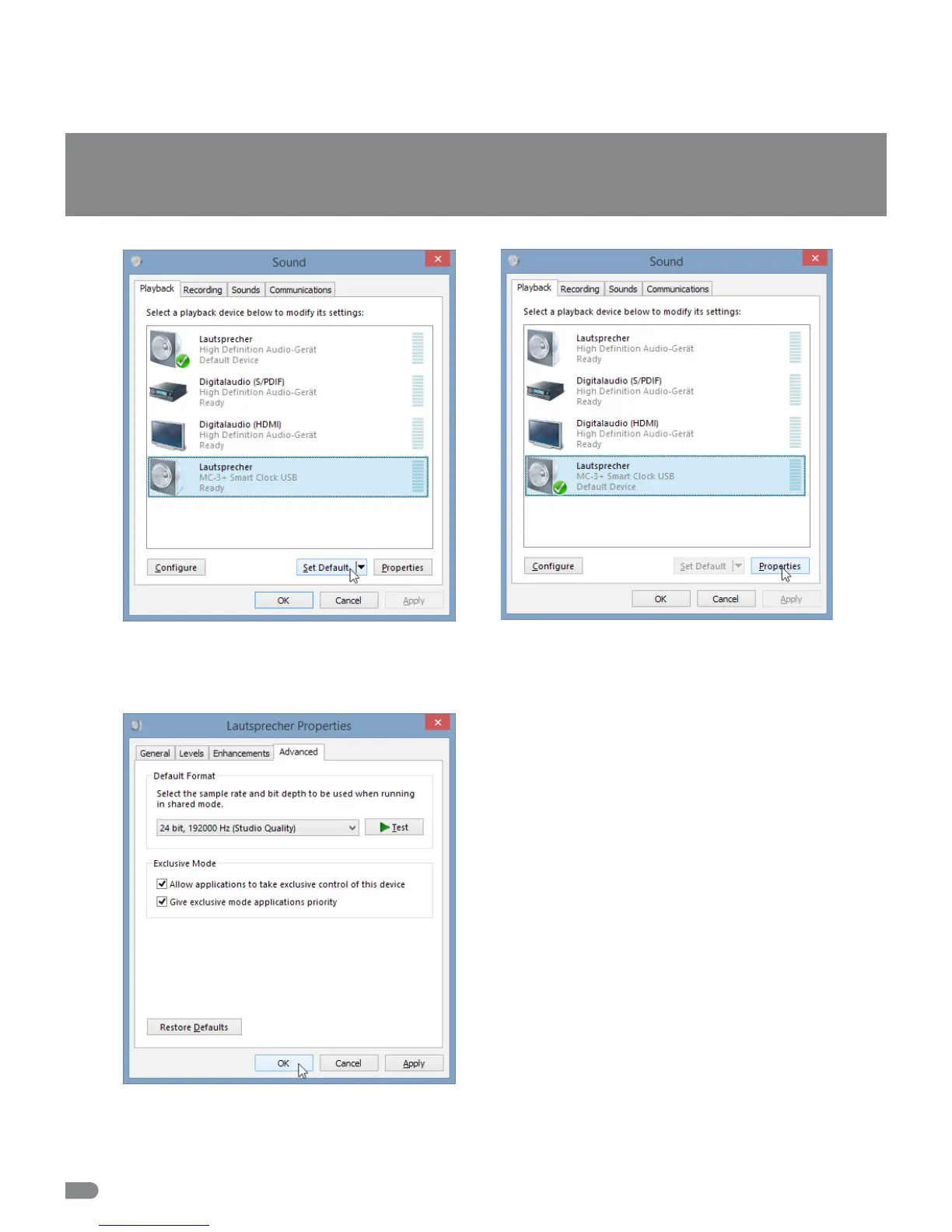
In the »Playback« tab select »MC-3+ Smart Clock USB«
from the list of available devices and click at »Set Default«.
after that the green check mark changes to the MC-3+USB
entry.
Click now on »Properties«.
Click on the »Advanced« tab and select under »Default
Format« the clock rate matching with your set-up. The opti-
mum maner is the entry »24 Bit, 19200 Hz (Studio Quali-
ty)«. Under »Exclusive Mode« check that the two tik boxes
are selected. Click »OK« to store your settings.


 To Next Page