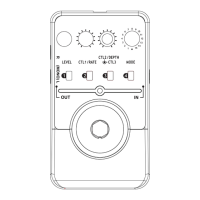
Can't power on [On/Off LED doesn't light
normally]
Check the connection of power.
Make sure the power is connected correctly.
Check the adaptor, is the type of adaptor right
(DC9V/300mA/center negative type)?
Use right type of adaptor, or else it may cause
damage to the equipment.
If using battery, check the INPUT jack, is the
cable connected properly to it?
If using battery, check the battery, is the
battery low or dead?
When using battery, make sure the battery is
at work and plug in the INPUT jack with audio
cable.
No sound / low volume
Check the connection of cables.
Make sure the IN/OUT cables are connected
correctly.
Check the volume of instrument and amplifier.
Make sure the volume of every equipment is
set to a appropriate level.
Troubleshooting
22
Check the LEVEL knob, do you set it to Min?
Set the LEVEL to a higher value.
No/low effect sound
Are you in Bypass status?
Press the FOOT SWITCH to get in effect
status.
Check GAIN knob, do you set them to Min?
Set the GAIN to a higher value.
Are you in M MODE, and use a Memory
Patch? Maybe when you saved this Patch, the
GAIN knob was point to the lowest value, so
there may be low wet sound.
Restore this patch with setting the GAIN knob
to a appropriate value.
Distorted sound
Check the battery, is it low?
Replace with a new one.
Check the input sound, is the level excessive?
Turn down the input level and try.


 To Next Page