Advanced Use
Additional Parameter Setting
1. Entering the Additional Parameter Setting
Function
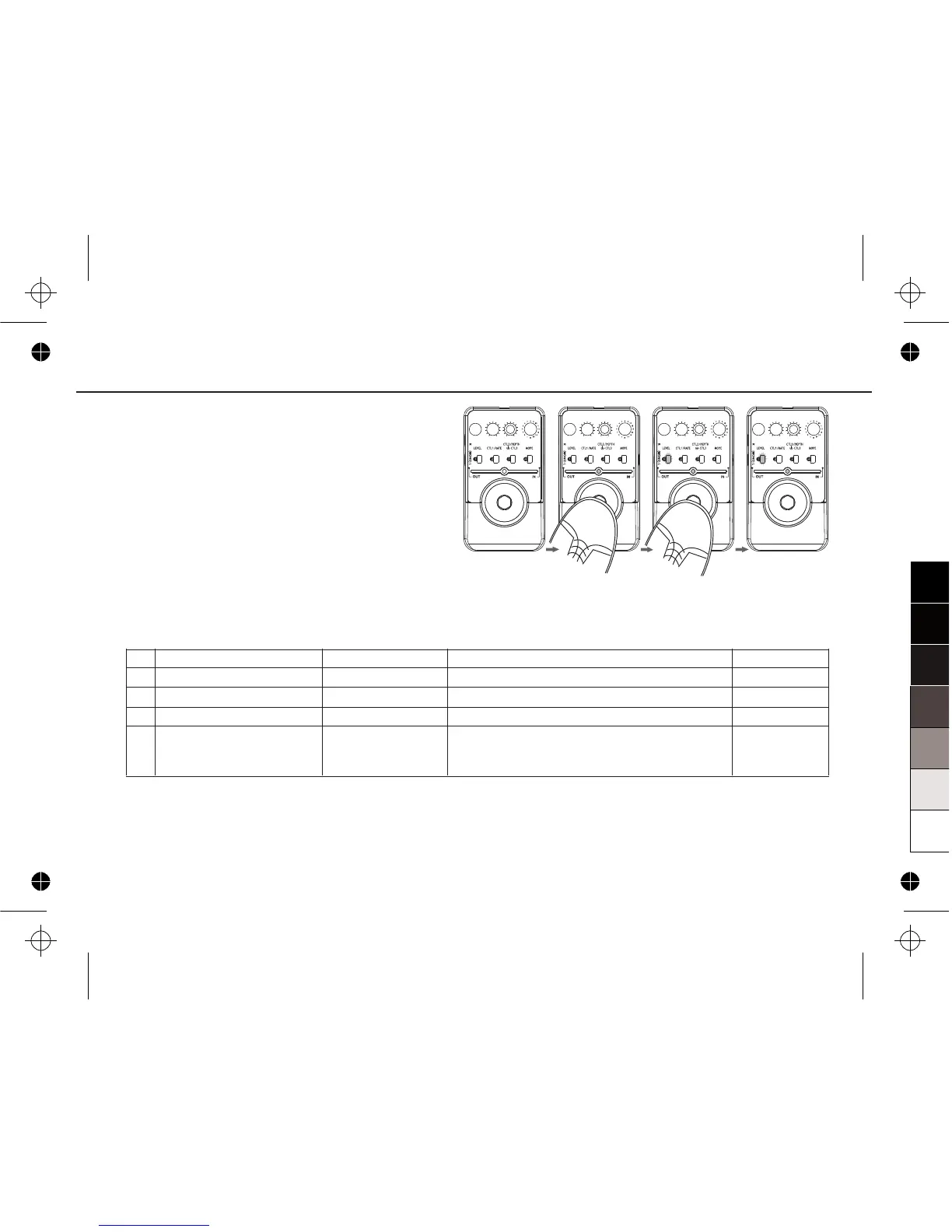
When the MODE knob points to the position
5,6,7 and 8, and the ON/OFF LED indicator
is off at the same time, press the
FOOT SWITCH and hold for at least 3
seconds, then the 1 PATCH MEMORY
button's LED indicator will flash. At this time,
you can release the FOOT SWITCH and
adjust the 5 parameter of this effect.
The 5 parameters of these effects are:
st
th
th
No.
5
6
7
8
EFFECTS
STEREO CHORUS
STEREO FLANGER
STEREO NFB FLANGER
TREMOLO FLANGER
th
5 PARAMETER
PRE-DELAY
PRE-DELAY
PRE-DELAY
TREMOLO WAVE
FUNCTION of 5 PARAMETER
The PRE-DELAY of CHORUS.
The PRE-DELAY of FLANGER.
The PRE-DELAY of FLANGER.
Change MODULATION WAVE of TREMOLO
from TRIANGLE WAVE→SINE WAVE→
SQUARE WAVE gradually.
th
PRESET
6ms
0ms
0ms
SINE WAVE
19


 To Next Page