Characters supported in the Cobblestone’s Wi-Fi password
The Cobblestone password supports special ASCII characters, such as & / *
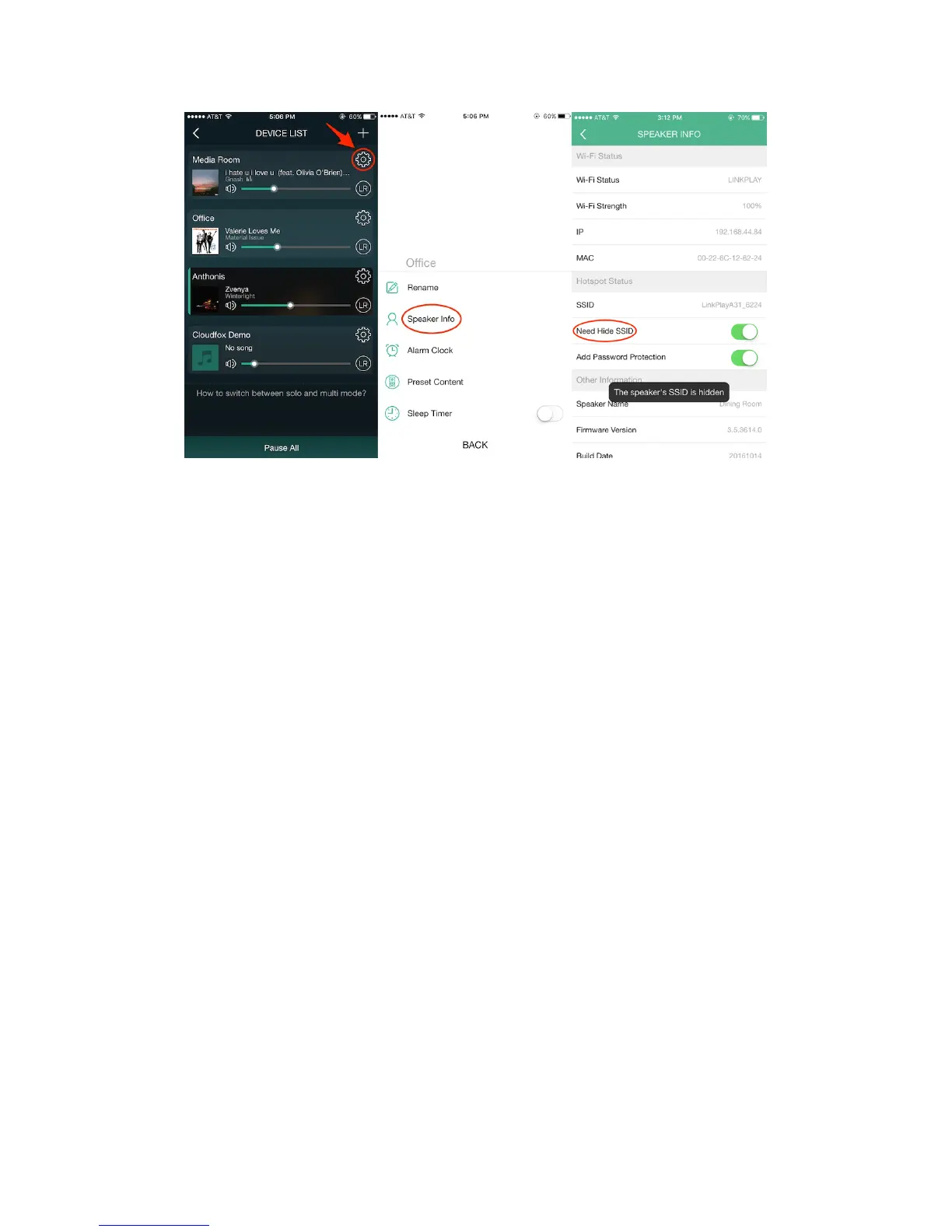
Check Wi-Fi Strength
To achieve smooth streaming experience, your Cobblestone unit should have good
network connection with your connected router. When connected with Wi-Fi, please
check the Wi-Fi strength if you run into issues while streaming audio. The steps to
check the Wi-Fi strength are as follows:
1. Device List
2. Select the gear icon on the Cobblestone you want to add a password to
3. Select “Speaker Info”
4. Select “Wi-Fi strength”


 To Next Page