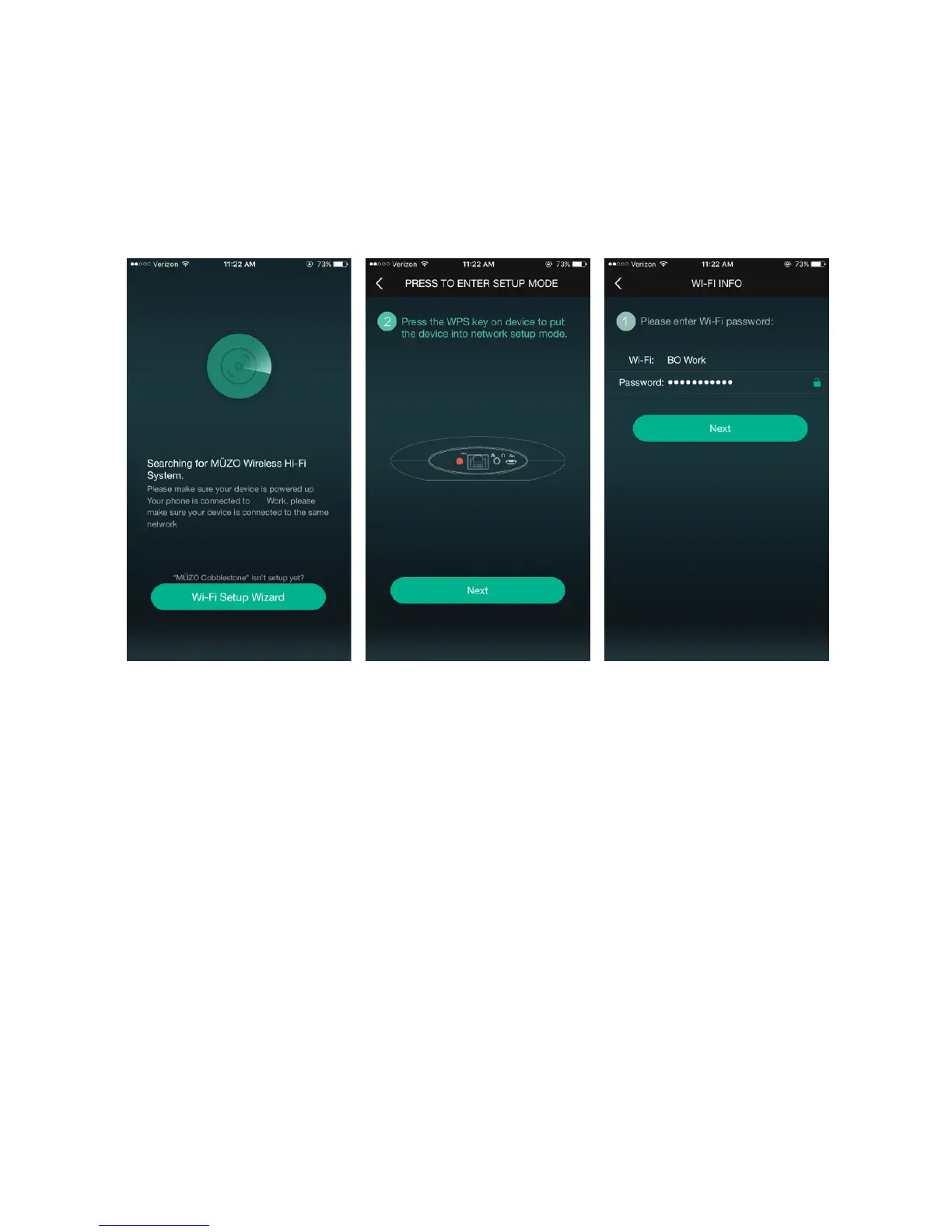
• Open the MUZO Player App and you will see Screen one.
• Select ‘Add Device’ at the bottom of the screen.
• Hold the “Wi-Fi” button until the orange LED light flashes. The App will then start to
search for your Cobblestone unit and will configure it accordingly
• The App will then ask you to input the password of the Wi-Fi network that your
Smartphone is connected to.
NOTE: You cannot have two units with same name in the MUZO Player App. When
you open the app for first time, after setting up a unit a pop up menu will come up and
you can select the name from pre-defined names or write desired name for your unit.
This will help you to easily differentiate units from each other on different locations. See
attached screenshot below.


 To Next Page