EN© 2021 mPTech. All Rights Reserved. myPhone FUN 9
26
Blockade on/off button
• One quick press locks / unlocks the screen.
• Pressing the button for about 2 sec. will cause:
o if the smart phone is off - the device switches on,
o if your smartphone is on - activates a menu to
shut down the device or reboot the system.
Volume increase and decrease buttons
Pressing during a voice call will cause an increase or
decrease of the audio connection volume.
9. Using the touch screen
The smartphone’s touchscreen makes it easy to select
items, perform operations and gestures. The touchscreen
can be controlled by the following actions.
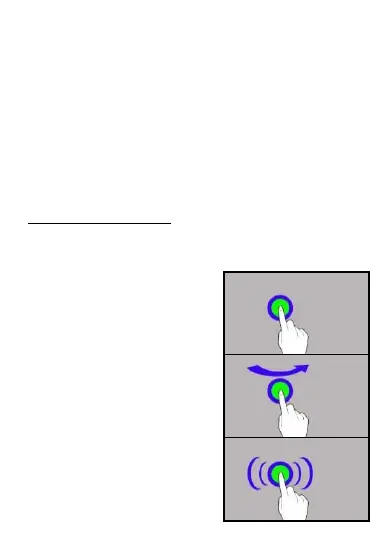
9.1 Touch
Touch one to start options, an
app, menu.
9.2 Swipe
Quickly swipe up, down, to the
left or to the right, to scroll the
list or the screen.
9.3 Triple click
Quickly tap the screen three
times to start zooming - if this
option is enabled in your
smartphone settings.



 To Next Page