Need help?
Do you have a question about the myPhone Hammer AXE LTE and is the answer not in the manual?
Avoid using electronic devices where prohibited or where they may cause interference or danger.
Do not use the device while driving to ensure safety.
Handle batteries carefully, avoid extreme temperatures, and use only original accessories.
Instructions for inserting MicroSIM or SIM cards into the dual SIM slots.
Guide on how to charge the device battery using the provided charger.
Steps to initiate a phone call using the dialer interface.
Recommendations for optimizing battery life and charging.
 General
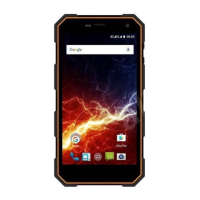
| RAM | 2 GB |
|---|---|
| Rear Camera | 13 MP |
| Front Camera | 5 MP |
| SIM | Dual SIM (Nano-SIM, dual stand-by) |
| Display | 5.5 inches |
| Storage | 16 GB |
| Operating System | Android 7.0 Nougat |
| Connectivity | 4G LTE, Wi-Fi, Bluetooth |
| Protection | IP68 |


 To Next Page