Need help?
Do you have a question about the myPhone HAMMER 2 and is the answer not in the manual?
Diagram illustrating the phone's physical layout, keys, and their functions.
Step-by-step instructions for powering the phone on and off, including safety advice.
Guide on how to properly insert the SIM card, memory card, and battery.
Instructions on how to connect the charger and charge the phone's battery.
How to navigate and access the phone's main menu system using navigation keys.
Personalizing phone settings like sound profiles and silent mode.
Method to enable or disable silent mode for notifications by holding the '#' key.
Adjusting volume and managing sound profiles for calls and alerts via menu settings.
Managing phone calls, including making and receiving.
Step-by-step guide to initiate a phone call using the keypad and green phone button.
How to answer or reject incoming calls using the red and green phone buttons.
Operations related to sending and displaying text messages.
Instructions for composing and sending SMS messages using the keypad.
How to access and read received text messages from the inbox.
Managing phone contacts, including adding and searching.
Procedure to add a new contact to the phonebook, specifying SIM or phone storage.
How to find existing contacts in the phonebook by typing initial letters.
Making calls to contacts directly from the phonebook by searching and selecting.
How to view and check details of missed calls on the phone's screen.
Setting up and using speed dial numbers for quick access to contacts.
Steps to connect the phone to a PC via USB for data preview and exchange.
How to set and adjust the phone's current time and date.
Changing the display language of the phone's interface from the settings menu.
Configuring various call-related options like callback, call time control, and reminders.
Setting up and customizing alarms, including time, repeat days, and alert type.
Viewing and managing call history, including missed, dialed, and received calls.
Using the built-in calendar application for date previews and management.
Information and usage of the Bluetooth module for wireless connectivity.
Pairing and connecting the phone with other Bluetooth-enabled devices.
Transferring files between the phone and other devices using the Bluetooth connection.
Using the phone's camera for taking pictures and recording videos.
Instructions for capturing still images with the phone's camera.
Instructions for capturing video clips using the phone's camera.
How to restore the phone to its original factory default settings.
Instructions on how to turn the phone's integrated flashlight on and off.
Details on Specific Absorption Rate (SAR) and radio wave exposure limits for the device.
 General
| Display diagonal | 2.2 \ |
|---|---|
| Display resolution | 176 x 220 pixels |
| Internal memory | 32 MB |
| Flash card support | Yes |
| Compatible memory cards | MicroSD (TransFlash) |
| Maximum memory card size | 8 GB |
| Rear camera resolution (numeric) | 2 MP |
| WAP | - |
| Data network | GSM |
| SIM card type | MiniSIM |
| SIM card capability | Dual SIM |
| 2G bands (primary SIM) | 850, 900, 1800, 1900 MHz |
| Mobile network generation | 2G |
| Bluetooth version | 2.0+EDR |
| Multimedia Messaging Service (MMS) | Multimedia Messaging Service (MMS) is a standard way to send messages that include multimedia content to and from a mobile phone over a cellular network |
| Talk time (2G) | 14 h |
| Battery capacity | 1450 mAh |
| Standby time (2G) | 360 h |
| Type | Feature phone |
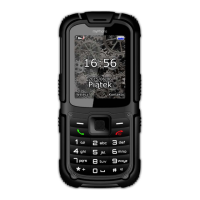
| Product color | Black, Orange |
| International Protection (IP) code | IP67 |
| Subscription type | No subscription |
| Form factor | Bar |
| Personal info management (PIM) | Alarm clock, Calculator, Calendar |
| Specific absorption rate (SAR) value (EU) | 0.562 W/kg |
 Weight and Dimensions
| Depth | 17.5 mm |
|---|---|
| Width | 58 mm |
| Height | 126 mm |
| Weight | 213 g |

 To Next Page