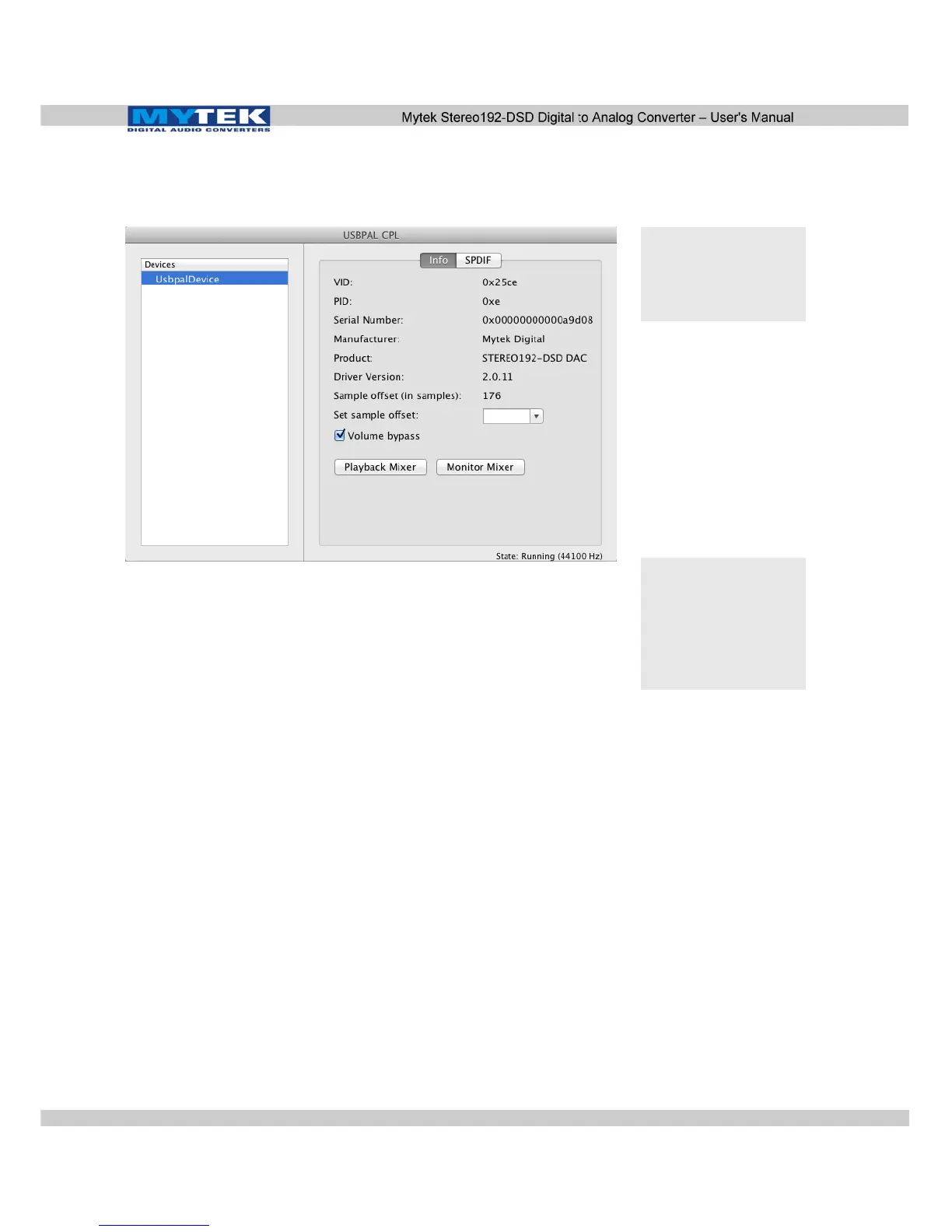
8. Open the Mytek_Digital_CPL and ensure the Volume Bypass
checkbox is checked.
Uninstalling Mac OS X Mytek USB Driver
1) Remove the following files from the folders located on the
boot disk (usually Macintosh HD):
- /Library/Audio/MIDI Drivers/
2) Mytek_Digital.plugin
- /Library/Receipts
- com.mytekdigital.Mytek_Digital.custom-extension-
driver.pkg
- com.mytekdigital.Mytek_Digital.kernel-driver.pkg
- com.mytekdigital.Mytek_Digital.midi-driver.pkg
3) /System/Library/Extensions
- Mytek_Digital_CUSTOM_EXT.kext
- Mytek_Digital.kext
4) /Applications
- Mytek_Digital_CPL
Warning! Volume
bypass must be
checked to guarantee Bit
Transparency ensuring
proper DSD playback.
Note! If you are
experiencing digital
artifacts during playback
increase the Set Sample
Offset size inside the
USBPAL_CPL panel to
the maximum value.
www.mytekdigital.com Page: 19/48


 To Next Page