19
10. MUSIC VIA CABLE
Connect the mini USB connector of the Multimedia Wire (not included) to the helmet and the other
end to the audio device. A coloured band on the cable indicates the connector to be hooked up to
the audio device.
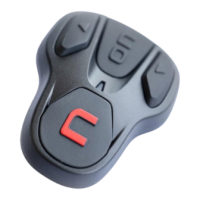
Turning on the cable audio Press the “ON” key three times.
Turning off the cable audio Press the “ON” key three times.
11. SATELLITE NAVIGATOR FOR MOTORCYCLES
B901L system is compatible with the most common satellite navigators for motorcycles. For a list of
compatible models and additional details, visit the website www.n-com.it
To pair up a satellite navigator to the B901L system, follow the procedure illustrated in Chapter 6.
N.B.: Intercom connection is automatically cut off every time the navigator gives directions and
restored at the end of the message from the navigator.
12. FM RADIO
Turning on the radio Press the “ON” key twice
Turning off the radio Press the “ON” key twice.
New station automatic search Press “” and keep it pressed for 2 seconds.
Pre-setting a radio station (max.
6 stations)
you hear the word “
Preset
”. Select the pre-setting position using
the keys “” and “”. Saving is confirmed by means of a voice
message.
This function can also be turned on using the “N-Com EASYSET” programme or
through the “N-Com EASYSET App” for Smartphone Android, iPhone, iPad.



 To Next Page