7
3.1. Preparing the ESS system
Fig. 2
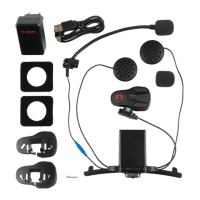
Select the specific adapter for your helmet
(the compatible helmet model is shown on
the back of the support).
N.B.: The installation of the ESS system on N87
and N100-5 helmets requires no adapter.
Remove the protective film from the double-
sided adhesive tape located in the rear of the
system ESS (Fig. 2)
Fig. 3
Apply the double-sided adhesive tape
supplied as standard equipment to the
selected plastic adaptor (Fig. 3).
Fig. 4
Insert the FLEX cable of the ESS system in the
hole of the selected adapter as illustrated, in
the direction shown in the image (Fig. 4);
Fig. 5
Rotate the adapter until it is in a horizontal
position like the ESS system, then press the
two components together until they stick
one onto the other (Fig. 5);



 To Next Page