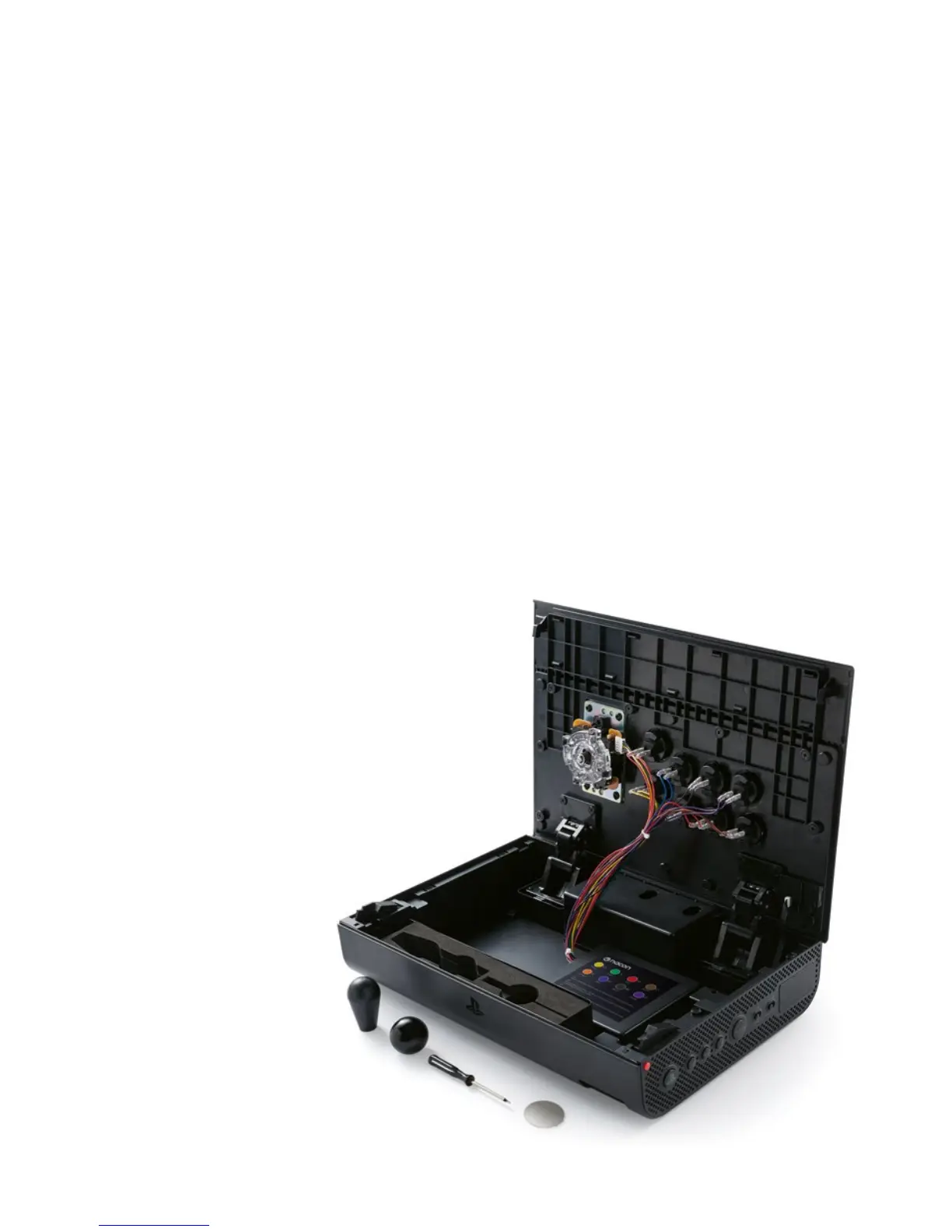
Exchangeable components
The DAIJA already uses high quality components for the best gaming
experience possible. Still, you might wish to customise the elements
of your DAIJA, so we made personalisation as easy as possible.
1 To open the top
On the sides of the DAIJA, press the two Red lid release buttons (1).
2 To change the buttons
Remove the cable from the button which you want to take out, by simply pulling
them off the contacts of the button. Make sure to grip the cable on the isolated
front, to prevent damaging the cable. The buttons are just clipped into the front
plate and can be easily removed by pressing the springs on the left and right side
of the button.
Clip the new button into the front plate and make sure to re-plug the correct wires
to the correct button. Each button is connected with a differently coloured cable
and the colour codes can be found on a label on the inside of the DAIJA.
3 To change the joystick
Changing the joystick will require a
Cross head type screwdriver. Just like
the buttons, the cables can be simply
unplugged and reconnected.



 To Next Page