EasyManua.ls Logo

NAD C350 - User Manual

NAD C350
46 pages
Print Icon
To Next Page IconTo Next Page
Loading...
Owner’s Manual
GB
Manuel d’Installation
F
Bedienungsanleitung
D
Manual del Usuario
E
Manuale delle Istruzioni
I
Manual do Proprietário
P
Bruksanvisning
S
C350
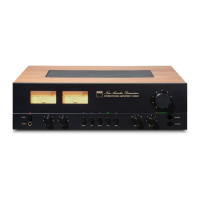
Stereo Integrated Amplifier

Other manuals for NAD C350

Questions and Answers

  • K
    Kristen HallJul 26, 2025
    How to troubleshoot no sound on NAD C350?
    • A
      annrobinsonJul 26, 2025
      If your NAD Amplifier produces no sound, first ensure the AC lead is properly plugged in and the power is switched on. Check that Tape 1 Monitor mode is not selected and that Mute is switched off. Also, confirm that the rear Pre-out/Main-in amp links are fitted and that headphones are disconnected.
  • J
    Justin ThomasJul 31, 2025
    What to do if power/protection LED turns red during NAD C350 operation?
    • S
      Sara FloresJul 31, 2025
      If the POWER/PROTECTION LED on your NAD Amplifier turns red during operation: * Turn the amplifier off immediately. * Ensure that the ventilation slots on the top and bottom are not blocked, allowing the amplifier to cool down. * After it has cooled, turn it back on. * Verify that the overall loudspeaker impedance isn’t below 4 ohms, as overheating or low impedance can trigger this issue.
  • A
    Amanda HarrisonAug 5, 2025
    What to do if NAD C350 has no sound in one channel?
    • H
      Heather KerrAug 5, 2025
      If you're experiencing sound from only one channel on your NAD Amplifier, make sure the balance control is centered. Check the speaker connections and the speakers themselves for any damage. Also, inspect the input leads and connections for any disconnections or damage.
  • S
    Spencer ShafferAug 9, 2025
    How to fix weak bass on NAD C350 Amplifier?
    • S
      Samuel PalmerAug 10, 2025
      If you notice weak bass or a diffuse stereo image from your NAD Amplifier, the speakers might be wired out of phase. Check the connections to all speakers in the system.
  • L
    Lee ColemanAug 14, 2025
    Why is my NAD Amplifier remote control not working?
    • U
      underwoodalexanderAug 14, 2025
      If the remote control handset for your NAD Amplifier isn't working, try these steps: * Check or replace the batteries, ensuring they are correctly inserted. * Remove any obstructions between the remote and the IR receiver. * Place the unit away from direct sunlight or reduce very bright ambient light.
  • M
    mathewhamiltonAug 20, 2025
    Why does NAD Amplifier power/protection LED stay red?
    • B
      Brittany TaylorAug 20, 2025
      If the POWER/PROTECTION LED stays red when you turn on your NAD Amplifier, it indicates that the loudspeaker cabling has a short-circuit. Turn the amplifier off and check the loudspeaker cable connections for both speakers at the amplifier’s back panel and the loudspeakers themselves. Then, turn the amplifier back on.

Summary

Important Safety Instructions

Electrical Safety and Warnings

Covers risks of electric shock, fire, and damage from moisture or improper servicing.

Installation and Placement Guidelines

Provides guidance on safe placement, ventilation, power cord handling, and cleaning procedures.

Antenna Grounding Requirements

Details mandatory grounding procedures for outdoor antennas to prevent electrical hazards.

Rear Panel Connections

NAD LINK IN, OUT

Connects NAD components for system control and allows centralised remote operation.

DISC INPUT

Input for line-level signals from CD, Mini Disc, or turntable step-up amplifier.

CD INPUT

Input for analogue audio signals from a CD player or other line-level source.

VIDEO INPUT

Audio input for stereo VCR, TV, Satellite, or Cable receiver signals.

AUX INPUT

Input for additional line-level audio signals, such as another CD player.

TUNER INPUT

Input for a Tuner or other line-level audio source.

TAPE 2 IN, OUT

Connections for analogue recording and playback to a tape recorder.

TAPE 1 IN, OUT

Connections for analogue recording and playback to a secondary tape recorder.

PRE OUT 1

Outputs for connecting a single stereo power amplifier or for bi-amping.

PRE OUT 2

Outputs for external power amplifiers or processors, like surround-sound decoders.

MAIN IN

Connections for external pre-amplifiers or processors, bypassing internal controls.

SPEAKERS

Terminals for connecting loudspeakers with impedance of 4 ohms or more.

SOFT CLIPPING

Circuit to gently limit output and minimise distortion when overdriven.

12 V TRIGGER OUT

Output to remotely switch ancillary equipment with 12V trigger inputs.

SWITCHED AC OUTLET

Accessory outlet for powering other components switched by the amplifier.

AC LINE CORD

Connection point for the main AC power cord to the wall socket.

Front Panel Controls

POWER ON;OFF

Button to switch the amplifier on or off, indicated by LED status.

INPUT SELECTORS

Buttons to select the active audio input source for playback.

PHONES

Headphone socket for private listening, automatically mutes speakers.

TAPE 1 MONITOR

Selects Tape 1 for playback or monitoring, without overriding current input.

TAPE 2

Input selector for the Tape 2 connection.

TUNER

Input selector for the Tuner connection.

AUX

Input selector for the Auxiliary connection.

VIDEO

Input selector for the Video connection.

CD; DISC

Input selectors for CD and Disc sources.

BASS, TREBLE, BALANCE, VOLUME

Controls for adjusting tone, channel balance, and overall loudness.

SOFT CLIPPING

Switch to enable or disable the Soft Clipping feature.

Remote Control

Remote Control Overview

Details the functions and operation of the NAD C350 remote control handset.

Input Selector Buttons

Buttons on remote that select the C350's active input source.

Tuner Control

Buttons for controlling NAD Tuner functions like station banks and presets.

CD Player Control

Buttons for controlling NAD CD Player functions like play, pause, and track skip.

Cassette Deck Control

Buttons for controlling NAD Cassette Deck functions like play, record, and rewind.

Quick Start

Quick Start Steps

Concise steps for initial setup and operation of the NAD C350 amplifier.

Notes on Installation

Installation and Placement Notes

Guidance on safe and optimal placement, ventilation, and cleaning of the unit.

Front Panel Controls (Figure 2)

POWER ON;OFF

Button to switch the amplifier on or off, indicated by LED status.

INPUT SELECTORS

Buttons to select the active audio input source for playback.

PHONES

Headphone socket for private listening, automatically mutes speakers.

TAPE 1 MONITOR

Selects Tape 1 for playback or monitoring, without overriding current input.

TAPE 2

Input selector for the Tape 2 connection.

TUNER

Input selector for the Tuner connection.

AUX

Input selector for the Auxiliary connection.

VIDEO

Input selector for the Video connection.

CD; DISC

Input selectors for CD and Disc sources.

BASS & TREBLE CONTROLS

Controls for adjusting the tonal balance of your system.

TONE DEFEAT

Switch to bypass the tone control section of the amplifier.

BALANCE

Control to adjust the relative levels of the left and right speakers.

VOLUME

Control to adjust the overall loudness of the signals being fed to the loudspeakers.

SOFT CLIPPING INDICATOR

Indicator showing that the Soft Clipping mode is engaged.

Remote Control Functions

ON;OFF BUTTON

Button to switch the amplifier into Standby mode or turn it on from Standby.

MUTE

Temporarily switches off the sound to speakers and headphones.

MASTER VOLUME UP;DOWN

Buttons to increase or decrease the loudness level.

TAPE TO TAPE COPYING

Instructions for copying tapes between two connected tape machines.

Troubleshooting

No Sound Issues

Diagnoses and solutions for complete absence of audio output.

One Channel Sound Issues

Diagnoses and solutions for audio only present in one speaker.

Weak Bass or Diffuse Stereo Image

Diagnoses and solutions for poor audio quality and stereo separation.

Remote Control Not Working

Diagnoses and solutions for a non-responsive remote control handset.

Power;Protection LED Issues

Diagnoses and solutions for the Power/Protection LED remaining red.

NAD C350 Specifications

Power Amp Section IconPower Amp Section
continuous average power output into 8 Ω60W
rated distortion (THD 20Hz-20kHz)0.03%
clipping power (max. continuous power per channel)70W
IHF dynamic power 8 Ω135W
IHF dynamic power 4 Ω190W
IHF dynamic power 2 Ω240W
Pre-amp Section IconPre-amp Section
line level input impedance R and C50kΩ / 320pF
line level input sensitivity ref. rated power325mV
line level output pre-amp fixed output100 Ω
line level output phones220 Ω
signal/noise ratio re 0.5V in and 0.5V out>106dB
Physical Specifications IconPhysical Specifications
dimensions (W x H x D)435 x 100 x 290mm
net weight7.01kg
shipping weight8.62kg

Related product manuals