99
99
9
ENGLISH
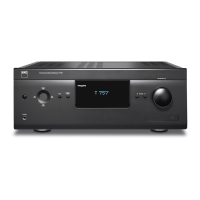
In case you simply cannot wait to experience the performance of your new NAD T 743 receiver, we provide
the following “Quickstart” instructions to get you underway. The steps below connect your DVD player to the
T 743’s DVD input; be sure to read “Input Setup”, below.
• Connect the T 743’s composite video or S-Video MONITOR OUT jack to your TV/monitor’s corresponding
input. (Cables not supplied)
• Connect your DVD player’s composite video or S-Video output to the T 743’s corresponding DVD input.
(S-Video cable not supplied)
• Connect the DVD player’s optical digital output to the T 743’s optical DIGITAL IN 1 input.
(Optical cable not supplied).
• Connect your left and right front speakers to the T 743’s FRONT L and R outputs, being sure to connect
red to red (“+”) and black to black (“-”), with care to avoid stray wires or strands crossing between
terminals. (Connect center, surround, and surround-back speakers as well, if you like). If your system
includes a powered subwoofer, connect the T 743’s AUDIO PRE-OUT SW1, 2 or both jacks to its line
inputs.
• Press in the main power switch (black pushbutton) on the T 743’s rear panel (this puts the T 743 into
STANDBY mode and illuminates an amber LED to indicate it is ready to receive remote commands), then
use the HTR 2’s [ON] key to power up the receiver. Be sure the TV/monitor is powered up, with the correct
input selected.
• Start playback of the DVD player. Press the HTR 2 remote’s [Amp] Device Selector key, and then its (red)
DVD/numeric 1 key to select the DVD input. You should hear multichannel or stereo sound, and see an
image on the TV/monitor. (If one or the other fails to appear, you may need to use the receiver’s on-screen
menu system to check assignment of audio, video, and digital inputs; see “Setting Up the T 743”.)
Enjoy the movie or music, but be sure to set aside time to read this manual thoroughly, and to set up,
calibrate, and configure your T 743 carefully and completely.
PLAPLA
PLAPLA
PLA
Y A DVD MOVIEY A DVD MOVIE
Y A DVD MOVIEY A DVD MOVIE
Y A DVD MOVIE
QUICKSTART



 To Next Page
 Loading...