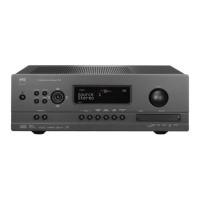
VIEW XM INFORMATION
Toggle ‘INFO’ button to display the XM information of the selected channel
such as the artist name, song title, category or any other text as supplied for
the channel.
PRESETS
The procedure for storing XM channels is the same method as stated in the
section “Setting Radio Presets” under “Listening to Radio.”
For immediate recall of stored XM presets, toggle “TUNER MODE” button
until “P__” (the two blank spaces corresponding to the preset number) is
shown in VFD. Press the front panel’s “PRESET / PRESET ” button
or HTR 3’s keys to step up or down the stored presets that can be a
combination of AM, FM and XM channels.
LISTENING TO DAB RADIO
Until now, analogue radio signals such as FM or AM have been subject to
numerous kinds of interference on their way from the transmitter to your
radio. These problems were caused by mountains, high-rise buildings
and weather conditions. With Digital Audio Broadcast (DAB), you can now
receive CD-like quality radio programs without any annoying interference
and signal distortion. DAB broadcasts use digital signals rather than
traditional analogue transmissions, thus providing clear high quality
reception. You get far more robust reception and virtually hiss or crackle
free sound with DAB as long as you are within a good coverage area.
With DAB, the listener can scroll through a list of available stations - then
instantly tune to the station of his choice. There is no need either to
remember channel frequencies. All broadcasts are selected by simply
selecting the service name.
The T 775 makes it possible for you to enjoy listening to DAB broadcasts.
The T 775 has a Digital Audio Broadcast (DAB) module socket on the rear
panel for adding a separately sold and NAD-specied outboard DAB
module – the NAD DAB Adaptor DB 1. All the control software for this
format is included; just plug-in the module and start enjoying the CD-like
quality sound and expansive content selection available with DAB.
IMPORTANT NOTICE
6OMFTTPUIFSXJTFTQFDJöDBMMZTUBUFEOBWJHBUJOHPSBDDFTTJOH%"#
GVODUJPOTDBOCFVOEFSUBLFOCZVTJOHFJUIFSUIF)53SFNPUFDPOUSPM
PSUIFGSPOUQBOFMCVUUPOT*GUIFDPOUSPMCVUUPOPSJDPOCVUUPOCFJOH
SFGFSSFEUPJTBWBJMBCMFPOUIF)53SFNPUFDPOUSPMBOEGSPOUQBOFMUIFO
UIFSFGFSFODFUPTBJECVUUPOJTBQQMJDBCMFUPCPUIUIF)53SFNPUFDPOUSPM
BOEGSPOUQBOFM5IFTBNFDPOEJUJPOBQQMJFTUPUIFJSFRVJWBMFOUCVUUPOT
NOTES
r 8IFOVTJOHUIF)53SFNPUFDPOUSPMUPDBSSZPVU%"#DPNNBOET
FOTVSFUIBUUIF%&7*$&4&-&$503JTTFUUPi56/&3w
r )534<'..65&><&/5&3>BOE BSFUIFFRVJWBMFOUSFNPUFDPOUSPM
LFZTGPSUIFGSPOUQBOFMCVUUPOT<56/&3.0%&><&/5&3>BOE<56/&
].
CONNECTING THE DAB MODULE
Plug-in the other end of the DIN connector (supplied with your NAD DAB
Adaptor DB 1) from the DAB module’s output port into the corresponding
DAB module input socket on the rear panel of the T 775. Select DAB mode
on the T 775 by toggling the [AM/FM/DB] button in the front panel.
NOTES
t 5IF/"%%"#"EBQUPS%#JTOPUTVQQMJFEXJUIZPVS5
t 1MFBTFSFGFSUP/"%%"#"EBQUPS%#JOTUBMMBUJPOHVJEFGPSQSPQFSTFUVQ
DPOOFDUJPOPGUIF%#XJUISFTQFDUUPUIF5
t *GUIFSFJTOP/"%%"#"EBQUPS%#DPOOFDUFEUIF7'%XJMMTIPX
i$IFDL%"#5VOFSw
DAB OPERATION
With the separately sold NAD DAB Adaptor DB1 already connected to the
T 775, you can now carry out the T 775 to receive DAB broadcasts.
1 Toggle [AM/FM/DB] button until DAB mode. The VFD will show “No
Service List” indicating that there are no scanned DAB broadcast
services yet. This is the default mode of the DB1.
2 To tune to DAB broadcast services, press [TUNER MODE] and then
toggle the front panel’s [TUNE / ] to select either “Full Scan” or
“Local Scan”.
FULL SCAN will enable the scanning of the full range of digital
frequencies (Band III and L-Band).
LOCAL SCAN performs local scanning of available DAB services in your
area. Check with your dealer or visit www.WorldDAB.org to check the
applicable digital transmission frequencies in your area.
3 Upon selecting either “Full Scan” or “Local Scan”, automatic scanning
will be performed. This sequence cannot be interrupted. During the
sequence, the following message will be visible in the VFD.
The bars show the progress of the sequence. When scanning is
completed, the last number shown on the right side of the VFD
corresponds to the total number of DAB broadcast stations found. Then,
the rst station is tuned in (See “ALPHANUMERIC” section below to
understand the order or arrangement of stations).
OPERATION
USING THE T 775 – AM/FM/DB/iPod
32
ENGLISH FRANÇAIS ESPAÑOL ITALIANO DEUTSCH NEDERLANDS SVENSKA РУССКИЙ


 To Next Page