7
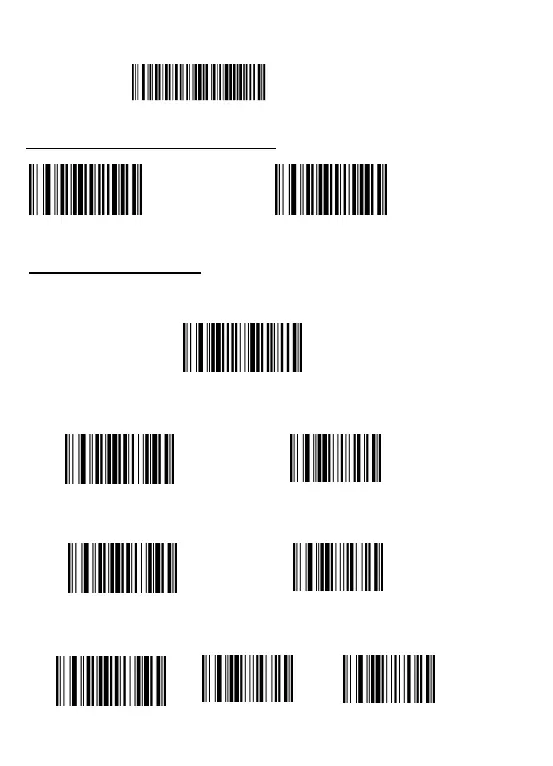
(3) Step 3: Scan your goal barcode, e.g. scan the below code "X001E52257",
the barcode "X001E52257RST" will appear.
Clear all character prefix
Clear all character suffix
Before add/ change any Terminator, scan the following code "Disable
Format character " at first, then to scan corresponded code.
Disable
Format character
X001E52257
Example 1: To
add TAB after barcode, scan above code "Disable Format character "
at first, then scan the code "Add suffix" & "TAB" in turn.
Example 2: To add CR/Enter after barcode, scan above code "Disable Format
character " at first, then scan the code
"Add suffix" & "CR " one by one.
Example 3: To add
CR&LF after barcode , scan above code "Disable Format
character " at first, then scan the code "Add suffix" & "CR" & "LF" one by one.
Add suffix
1009 TAB
Add suffix
1013
CR
Add suffix
1013
CR
1010 LF
Clear Prefix / suffix character
Terminator setting
:


 To Next Page