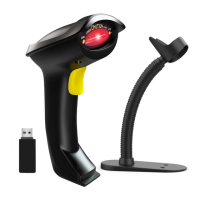
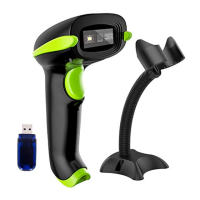
This document provides a user guide for the NADAMOO E3000 (H) and E3100 (H) 2D image scanning pattern devices. It covers product introduction, barcode settings, serial port instructions, and appendices with number setting codes, prefix/suffix serial port instructions, and barcode samples.
Function Description
The NADAMOO E3000 (H) and E3100 (H) are 2D image scanning pattern devices. They are designed for strong identification capability and support automatic continuous scanning mode with fast and flexible scanning speed. The scanner is equipped with a 32-bit master chip and patented software, allowing for smooth, reflective, wrinkled, blurred, and colorful barcode scanning, and normal scanning in light and dark environments. It also incorporates anti-oxidation optical technology to avoid sensitivity decline over long-term use.
Important Technical Specifications
Product Display:
The device features a position indicating light, a camera, and an LED light.
Dimensions: 8.21 x 14.24 x 21.26 mm.
Interface Description:
Product standard interfaces include RS232 (DB9 orifice), TTL, USB Keyboard (USD HID), Keyboard, and Wiegand. Other interfaces can be customized.
Communication Port:
The scanner can be connected to a host (PC, POS machine, intelligent terminal) via USB or RS-232 interface.
The communication port pinout includes:
- NC (Empty/Spare)
- VDD (DC power supply, DC3.3V)
- GND (Digital ground)
- Rx (Input, Serial input port TTL level)
- Tx (Output, Serial input port TTL level)
- USB_D- (Input/output, USB_D- signal)
- USB_D+ (Input/output, USB_D+ signal)
- BPR (Output, Buzzer output signal)
- LED (Output, Indicator light output signal)
- NC (Input, Reset signal input, Active low. Maintain more than 100us can reset product.)
- TRIG (Input, Trigger to scan)
Peripheral Circuit Diagram:
- Buzzer: Uses a MMBT3904 transistor, a 2.2uF capacitor, and resistors (1K, 22).
- Button: A trigger button connected to VCC_BAT (3.7V) with resistors (10K, 20K) and a 0.1uF capacitor.
- LED: Uses two LEDs (LED2) connected to 3V3, with resistors (1K, 300R) and a MMBT3904 transistor for control.
Supported Code Systems:
The scanner supports a wide range of barcode types with default open settings and minimum lengths:
- CODE 39: Default open, min length 3
- CODE 128: Default open, min length 3
- UPC/EAN: Default open, min length 13
- CODEBAR: Default open, min length 4
- CODE 93: Default open, min length 3
- CODE 11: Default open, min length 3
- INTERLEAVED 2 OF 5: Default open, min length 4
- MSI: Default open, min length 3
- DISCRETE 2 OF 5: Default open, min length 4
- HAN XIN: Default open, min length 3
- GS1 DATABAR: Default open, min length 3
- PDF417: Default open, min length 3
- DATA MATRIX (DM): Default open, min length 3
- QR: Default open, min length 3
- MicroQR Code: Default open, min length 3
- AZTEC CODE: Default open, min length 3
- MAXI CODE: Default open, min length 3
Usage Features
Barcode Setting:
The device allows for various barcode settings, including:
- Reset to default configuration: Scans a specific barcode to restore factory settings.
- Mark setting: Scans a barcode to mark a setting.
- Setting barcodes:
- Reset to default configuration: Scans a barcode to reset the device.
- Communication mode setting: Options for Serial port, USB, and USB virtual serial port.
- Decode scanning time setting: Configurable from 0.50 to 25.5 seconds. Users can set the time by scanning a barcode and then two numbers.
- Trigger mode setting:
- Scan (standard): Red light stays on until a barcode is decoded.
- Scan (pulse): Red light stays on until a barcode is decoded.
- Continuous scanning mode: Red light always on.
- Auto mode: Barcode scanner module starts depending on ambient brightness.
- Host trigger mode: Host gives serial port orders, trigger scanner module start.
- Scan time interval setting of the same barcode (continuous scanning mode): Configurable from 0.0 to 99.9 seconds.
- Scan time interval setting of the same barcode (Auto mode): Configurable from 0.0 to 99.9 seconds.
- Data uploading format: Options for "barcode + suffix character" and "CRLF".
- Turn on/Turn off configuration code: Enable or Disable configuration code.
- Enable/Disable sending setting code: Enable or Disable sending setting code.
- Power mode: Continuous power mode or power saving mode (default).
- Sensitivity setting: Adjustable sensitivity levels (Special, High, Middle, Low). Default is high level.
- Invoice automatic identification and output (only for China): Options to close (default) or open.
- Invoice character type (only for China): English character (default) or UTF8 character.
- Invoice type (only for China): Special invoice (default) or plain invoice.
Volume and Light Setting:
- Indicator light setting: To set the meaning of the indicator light (Represent decode or Represent power).
- Successful decode indicate setting: If decoded successfully, the indicator light is set to represent decode.
- Volume setting: Adjustable volume levels (Volume-Low, Volume-Middle, Volume-High).
- Mute setting: Turn on or off all volume.
- Starting up sound setting: Turn on or off the starting up sound.
- Setting code volume: Turn on or off the setting code volume.
- LED setting: LED on when reading, Always on, Always off.
- Positioning lamp setting: Always on when reading, Always on, Always off.
Enable/Disable Decode Function:
- Code system character output: On or Off.
- Enable/Disable UPC-A: Enable or Disable.
- Enable/Disable UPC-E: Enable or Disable.
- Enable/Disable EAN-8: Enable or Disable.
- Enable/Disable EAN-13: Enable or Disable.
- Enable/Disable Bookland EAN(ISBN): Enable or Disable.
- Bookland EAN(ISBN): Bookland ISBN-10 or Bookland ISBN-13.
- UPC/EAN Addendum Code: Disable, Only identify UPC/EAN with addendum code, Auto identify UPC/EAN Addendum code.
- Convert UPC-E TO UPC-A: Enable or Disable.
- Enable/Disable Code 128: Enable or Disable.
- Enable/Disable GS1-128: Enable or Disable.
- Enable/Disable Code 39: Enable or Disable.
- Enable/Disable Code 93: Enable or Disable.
- Enable/Disable Code 11: Enable or Disable.
- Enable/Disable ITF25: Enable or Disable.
- Enable/Disable industrial ITF25: Enable or Disable.
- Enable/Disable Codabar: Enable or Disable.
- Enable/Disable MSI: Enable or Disable.
- Enable/Disable GS1 DataBar(RSS) 14: Enable or Disable.
- Enable/Disable PDF417: Enable or Disable.
- Enable/Disable QR: Enable or Disable.
- Enable/Disable single/double QR: Enable single QR (default), Enable single and double QR code.
- Enable/Disable MicroQR Code: Enable or Disable.
- Enable/Disable Data Matrix(DM): Enable or Disable.
- Enable/Disable Maxi Code: Enable or Disable.
- Enable/Disable Aztec Code: Enable or Disable.
- Enable/Disable Chinese code: Enable or Disable.
Serial Port Communication Setting:
- Baud rate setting: Options include 9600, 19200, 38400, 57600, 115200.
- Check bit setting: Odd-even check bit (Odd check digital, Even digital, Mark, Space, Null odd-even check bit).
- Stop bit setting: One stop bit or Two stop bit.
- The retard of characters: Configurable from 0ms to 99ms (default 0ms).
Prefix and Suffix Setting:
- Users can set up to four numbers (means four barcode in Appendix II and II) based on ASCII.
- Options include: Prefix 1, Suffix 1, delete prefix and suffix, Null prefix and suffix.
- Compound mode setting: Barcode + suffix 1, Barcode + suffix 2, Prefix + barcode, Prefix + barcode+ suffix 1, Prefix + barcode+ suffix 2, Prefix + barcode+ suffix 1 + suffix 2.
Mark Barcode Transfer Type Setting:
- Disable or Enable mark barcode transfer type.
- Every barcode type mark includes three characters: J (mark character), C (code character), M (modifier character).
- Code type options: A (Code 39, Code 39 Full ASCII), C (Code 128, ISBT 128, GS1-128), E (UPC/EAN, Coupon (UPC portion)), F (Codabar), G (Code 93), H (Code 11), I (Interleaved 2 of 5), M (MSI), S (Discrete 2 of 5, IATA 2 of 5), X (Code 39 Trioptic, Bookland EAN, Han Xin), e (GS1 DataBar), L (PDF417), d (Data Matrix(DM)), Q (QR), z (Aztec Code), U (Maxi Code).
- Modifier meaning for GS1-128:
- 0: Standard data package, no function code 1 in the first character position.
- 1: Function code 1 in the first character position.
- 2: Function code 1 in the second character position.
- Example: GS1-128 barcode with function code 1 in the first character position will be transferred as "jc1+barcode".
Maintenance Features
- Window cleanliness: The window must be kept clean. The supplier is not responsible for guarantees due to improper maintenance.
- Avoid damage: Avoid the window being worn and torn or scratched by hard objects.
- Cleaning: Use a hairbrush to remove stains on the window. Clean the window with a soft cloth, such as a lens cleaning cloth.
- Prohibited actions: Spraying liquid onto the window is prohibited. Prohibit any cleaning solvents, except for cleaning water.
- Reading skills:
- For small barcodes, it should be closer to the scanning window.
- For large barcodes, it should be far away from the scanning window.
- For highly reflective (e.g., coated surface) barcodes, tilt the barcode at an angle to successfully scan it.
Start-up, shutdown, standby, and restart:
- Start-up: Connect the host computer with the scanner, which will automatically start-up and be in working state.
- Shutdown: Remove the data cable connected to the scanner; remove the USB which is connected with the host computer; remove the power adapter which is inserted into the RS-232 serial port.
- Standby: The scanner with automatic sleep standby function will enter standby mode if 30 minutes without work. It will automatically start-up when a barcode is approached.
- Restart: If the scanner crashes or doesn't respond, switch it off and restart.

 Need help?
 General

 To Next Page