Need help?
Do you have a question about the NAIM 300 Series and is the answer not in the manual?
Lists the included items in the product package.
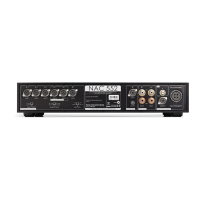
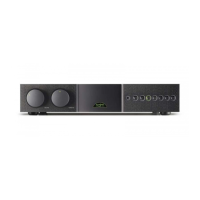
Overview of the front and rear panel controls, inputs, and outputs.
Connects the NAC 332 to power amplifiers using XLR and system automation cables.
Connects source components to the NAC 332 inputs, detailing default assignments.
Steps to power up the NAC 332 after connections, including link plugs.
Instructions for pairing the remote control with the NAC 332.
Using RCA unbalanced outputs for subwoofers and setting the rear panel switch.
How to assign physical inputs to front panel or remote buttons via setup mode.
Adjusting relative input levels (-10dB to +10dB) to equalize volume between sources.
Setting AV input to fixed gain mode, ignoring trim and balance settings.
Setting the overall maximum volume level and headphone maximum volume.
Details on Input 6 (8 pin DIN) and Input 8 (5 pin DIN) functionalities.
Information on the headphone output, its volume setting, and muting main outputs.
Guidance on unboxing, lifting, positioning, and rack placement for optimum performance.
Recommendations for using DIN inputs for best sound quality.
Synchronising power on/off and logo brightness using system automation cables.
Connecting mains lead and powering up/down the system, including sequence with other components.
Explains the three power levels: standby, standby with instant on, and powered for normal use.
How to adjust LED indicators and Naim logo brightness, and synchronization.
Connecting system ground to mains earth and using the ground lift switch.
Safety precautions regarding disposal of non-rewirable plugs.
Managing mains circuits and interference for optimal system performance.
Safety measures to protect the system from lightning strikes.
Advice on the initial 'running in' period for Naim products.
Recommended methods for cleaning the product and its connections.
Instructions for resetting the NAC 332 to factory default settings.

 To Next Page
 General