EasyManua.ls Logo

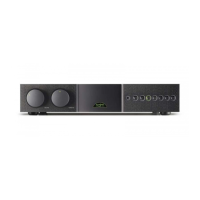
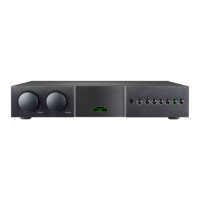
NAIM SUPERNAIT 2 - User Manual

NAIM SUPERNAIT 2
23 pages
Print Icon
To Next Page IconTo Next Page
Loading...
REFERENCE MANUAL
INTEGRATED AMPLIFIERS
SUPERNAIT 2 NAIT XS 2 NAIT 5si
ENGLISH

Table of Contents

Question and Answer IconNeed help?

Do you have a question about the NAIM SUPERNAIT 2 and is the answer not in the manual?

Summary

General Setup and Connections

1.1 Interconnect Cables

Guidance on using Naim DIN interconnects over RCA Phono, and cleaning plugs.

1.2 Loudspeaker Cables

Importance of cable length, type, and Naim's directional cable recommendation.

2.1 Mains Plug Wiring

Instructions for wiring mains plugs with correct wire-to-terminal connections.

2.2 Equipment Fuses

Advice on fuse replacement and troubleshooting fuse failures.

2.3 Non-rewirable Mains Plugs

Safety warning regarding disposal of cut-off non-rewirable plugs.

2.4 Mains Circuits and Cables

Recommendations for mains circuit quality and potential for transformer hum.

3.1 Siting The Equipment

Positioning advice to reduce hum and ensure stability, considering equipment weight.

3.2 Switching On

Correct sequence for switching components on/off and handling potential speaker thump.

3.3 Running In

Information on the time required for Naim equipment to reach optimal performance.

3.4 Radio Interference

Discusses potential radio frequency interference and its causes.

3.5 Lightning Precautions

Safety measures to protect equipment from lightning strikes.

3.6 Problems?

Advice on troubleshooting, contacting retailers, and warranty information.

3.7 Service and Updates

Guidance on obtaining authorized service and component replacements.

SUPERNAIT 2 - Introduction and Connections

4.1 Mains Power Connection

Connects the Supernait 2 to a mains power socket using the supplied cable.

4.2 Signal Inputs

Details the six input buttons and their corresponding rear panel DIN/RCA sockets.

4.3 Speaker Outputs

Describes the stereo speaker connection sockets and ensuring correct phase.

4.4 av and hdd Outputs

Explains how av and hdd inputs have associated outputs for external routing.

4.5 Headphone Output

Details the 6.3mm jack socket for headphones and its function.

4.6 AV Bypass

Enables integration with home theatre systems by bypassing volume control.

4.7 Other Signal Inputs and Outputs

Describes DIN bi-amp, sub out, pre-amp out, and power-amp in sockets.

4.8 Power Supply Upgrades

Information on upgrading the Supernait 2 with external power supplies.

4.9 General Connections Notes

Notes on negative input/output connections and signal ground.

4.10 External Control and Interface

Details the 3.5mm jack Remote In and mini-USB interface sockets.

SUPERNAIT 2 - Operation and Specifications

7.1 Automatic Input Switching

Explains how to program automatic input selection via the remote handset.

NAIT XS 2 - Introduction and Connections

NAIT XS 2 - Operation and Specifications

NAIT 5 si - Introduction, Controls, Operation and Specifications

Summary

General Setup and Connections

1.1 Interconnect Cables

Guidance on using Naim DIN interconnects over RCA Phono, and cleaning plugs.

1.2 Loudspeaker Cables

Importance of cable length, type, and Naim's directional cable recommendation.

2.1 Mains Plug Wiring

Instructions for wiring mains plugs with correct wire-to-terminal connections.

2.2 Equipment Fuses

Advice on fuse replacement and troubleshooting fuse failures.

2.3 Non-rewirable Mains Plugs

Safety warning regarding disposal of cut-off non-rewirable plugs.

2.4 Mains Circuits and Cables

Recommendations for mains circuit quality and potential for transformer hum.

3.1 Siting The Equipment

Positioning advice to reduce hum and ensure stability, considering equipment weight.

3.2 Switching On

Correct sequence for switching components on/off and handling potential speaker thump.

3.3 Running In

Information on the time required for Naim equipment to reach optimal performance.

3.4 Radio Interference

Discusses potential radio frequency interference and its causes.

3.5 Lightning Precautions

Safety measures to protect equipment from lightning strikes.

3.6 Problems?

Advice on troubleshooting, contacting retailers, and warranty information.

3.7 Service and Updates

Guidance on obtaining authorized service and component replacements.

SUPERNAIT 2 - Introduction and Connections

4.1 Mains Power Connection

Connects the Supernait 2 to a mains power socket using the supplied cable.

4.2 Signal Inputs

Details the six input buttons and their corresponding rear panel DIN/RCA sockets.

4.3 Speaker Outputs

Describes the stereo speaker connection sockets and ensuring correct phase.

4.4 av and hdd Outputs

Explains how av and hdd inputs have associated outputs for external routing.

4.5 Headphone Output

Details the 6.3mm jack socket for headphones and its function.

4.6 AV Bypass

Enables integration with home theatre systems by bypassing volume control.

4.7 Other Signal Inputs and Outputs

Describes DIN bi-amp, sub out, pre-amp out, and power-amp in sockets.

4.8 Power Supply Upgrades

Information on upgrading the Supernait 2 with external power supplies.

4.9 General Connections Notes

Notes on negative input/output connections and signal ground.

4.10 External Control and Interface

Details the 3.5mm jack Remote In and mini-USB interface sockets.

SUPERNAIT 2 - Operation and Specifications

7.1 Automatic Input Switching

Explains how to program automatic input selection via the remote handset.

NAIT XS 2 - Introduction and Connections

NAIT XS 2 - Operation and Specifications

NAIT 5 si - Introduction, Controls, Operation and Specifications

NAIM SUPERNAIT 2 Specifications

General IconGeneral
Power Output80W per channel into 8 ohms
Weight12.8 kg
Input Sensitivity130mV
Input Impedance47kΩ
Mains Supply115V or 230V, 50 or 60Hz
Phono InputOptional
Frequency Response10Hz to 20kHz
Distortion<0.1%
Dimensions432 x 87 x 314mm (W x H x D)

Related product manuals