Need help?
Do you have a question about the NAIM NAIT XS 2 and is the answer not in the manual?
Guidance on using Naim Hi-Line interconnects and maintaining clean connections for optimal audio performance.
Information on recommended loudspeaker cable length, type, and directional orientation for Naim amplifiers.
Details on mains plug wiring, fuse replacement, circuit requirements, and safety precautions for mains power.
Recommendations for siting equipment to minimize hum and ensuring stability during setup and switching.
Explanation of the run-in period for Naim equipment and factors affecting performance over time.
Advice on mitigating radio frequency interference and protecting equipment from lightning strikes.
Guidance on resolving common issues, contacting support, and authorised service procedures.
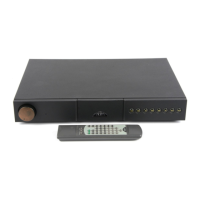
Connecting the Supernait 2 to mains power and selecting audio sources via front panel buttons.
Details on speaker outputs, av/hdd outputs, and the 6.3mm headphone socket.
Instructions for engaging AV Bypass mode for home theatre integration and its operational notes.
Explanation of DIN bi-amp, sub out, pre-amp out, power-amp in sockets, and external control interfaces.
Information on upgrading the Supernait 2's power supply with external Naim units.
Best practices for system grounding, signal negative connections, and using the signal ground terminal.
Description of the volume, balance, mute, and input selection controls located on the front panel.
Identification and function of all input, output, and interface sockets on the rear panel.
Diagram and notes for connecting the Supernait 2 with a Hi-Cap external power supply.
Diagram and notes for connecting the Supernait 2 with an additional NAP 200 power amplifier.
Diagram illustrating the system connection of Supernait 2 with both Hi-Cap and NAP 200.
How to program and use the automatic input selection feature based on source component activity.
Operation of volume/balance controls, mute function, and display illumination settings.
Understanding the switch-on sequence, remote handset control, and factory default settings.
Restoring factory defaults and identifying fault conditions via flashing front panel buttons.
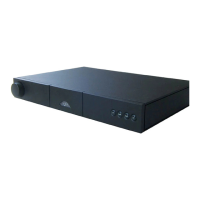
Connecting the Nait XS 2 to mains power and selecting audio sources using front panel input buttons.
Details on speaker outputs, av/hdd outputs, and the 6.3mm headphone socket.
Instructions for engaging AV Bypass mode for home theatre integration and its operational notes.
Explanation of sub out, pre-amp out, power-amp in sockets, and external control interfaces.
Information on upgrading the Nait XS 2's power supply with external Naim units.
Best practices for system grounding, signal negative connections, and using the signal ground terminal.
Description of the volume and input selection controls on the front panel.
Identification and function of all input, output, and interface sockets on the rear panel.
Diagram showing the connection of the Nait XS 2 with a FlatCap XS external power supply.
Diagram illustrating the system connection of Nait XS 2 with Hi-Cap and NAP 200.
How to program and use the automatic input selection feature based on source component activity.
Operation of volume controls, mute function, and display illumination settings.
Understanding the switch-on sequence, remote handset control, and factory default settings.
Restoring factory defaults and identifying fault conditions via flashing front panel buttons.
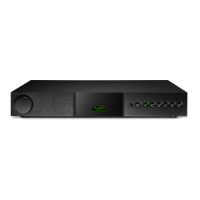
Connecting the Nait 5si to mains power and selecting audio sources via front panel buttons.
Details on speaker outputs, hdd output, and the 6.3mm headphone socket.
Description of the volume and input selection controls on the front panel.
Identification of input sockets and output ports on the rear panel.
Using automatic input selection and engaging the AV Bypass mode for home theatre integration.
Operation of volume controls, mute function, and display illumination settings.
Using the remote, restoring defaults, and diagnosing fault conditions via front panel indicators.
Instructions for fitting batteries and operating the multi-functional Naim remote control.
Explanation of System Component Keys, Global Keys, and Soft Keys for controlling Naim equipment.
Naim Audio's declaration of product compliance with EU directives and relevant safety standards.
Important safety warnings regarding equipment modification, liquid exposure, and earthing connections.
 General
| Output level | 775 mV |
|---|---|
| Amplifier class | - |
| Input sensitivity | 1300 mV |
| Audio output channels | - channels |
| Peak power per channel | 70 W |
| Signal-to-Noise Ratio (SNR) | - dB |
| Total Harmonic Distortion (THD) | - % |
| AC input voltage | 100, 115, 230 V |
| AC input frequency | 50 - 60 Hz |
| Purpose | Home |
| Product color | Black |
| Volume control | Rotary |
| Cables included | AC |
| Remote control type | RC5 |
| Connectivity technology | Wired |
| Line inputs (RCA) | 5 |
| USB 2.0 ports quantity | 1 |
| Speakers connectivity type | 6.35 mm / RCA |
| Package depth | 500 mm |
| Package width | 590 mm |
| Package height | 200 mm |
| Package weight | 10350 g |
| Certification | CE |
 Weight and Dimensions
| Depth | 301 mm |
|---|---|
| Width | 432 mm |
| Height | 70 mm |
| Weight | 8400 g |


 To Next Page