E8
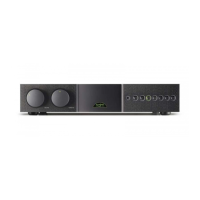
SUPERNAIT 2
7 Amplifier Operation and Programmable Functions
The Supernait 2 incorporates some programmable functions and operational nuances.
These are described in the following paragraphs.
7.1 Automatic Input Switching
With Automatic Input Switching engaged the appropriate
source input will be selected as soon as any handset
function for that (Naim) source component is operated.
For example, if the tuner input is selected and the cd
play key is pressed on the handset, the Supernait 2 will
automatically switch to the cd input. Automatic Input
Switching can be programmed to operate on any
combination of the cd, tuner, hdd and av input buttons.
To enable Automatic Input Switching, first switch the
Supernait 2 into program mode by pressing and holding
the handset prog key (with the handset in preamplifier
mode). The front panel mute button will illuminate if
automatic switching is already enabled. If it is not enabled
it can be switched on by pressing the mute button.
With automatic switching enabled, pressing the mute
button again will reveal the inputs selected for auto
switching by their indicators illuminating for a short time.
Repeated operation of the mute button will sequentially
select through each possible combination of cd, tuner,
hdd and av inputs and auto switching disabled (all
indicators off). When the desired inputs selected for auto
switching are indicated, stop pressing the button.
Automatic Input Switching only becomes operational
on exit from program mode by pressing and holding the
handset prog key.
Note: The Supernait 2 will leave program mode
automatically if no control commands are received for five
minutes.
Note: In a few cases some further equipment configuration
may be required for auto switching to operate correctly.
Please contact your retailer or local distributor for advice.
7.2 Handset Volume and Balance Control
The remote handset volume and balance keys provide
some alternative control characteristics. A short press and
release of a key will adjust by a preset “nudge”, while
pressing and holding the key will result in three seconds of
slow adjustment followed by continual fast adjustment.
7.3 Mute
Mute silences the outputs and can be selected or
deselected by pressing the front panel mute button or
remote handset mute key.
7.4 Display
The Supernait 2 front panel button illumination can
be switched off by pressing the remote handset (in
preamplifier mode) disp function. Any subsequent handset
or front panel operation will temporarily restore the display.
A second operation of the disp function will restore the
display.
7.5 Switch-on
After switch-on the Supernait 2 will remain muted for 30
seconds while control systems and circuits stabilise.
7.6 Remote Control
The Narcom 4 remote handset supplied with the
Supernait 2 duplicates all configuration and control
functions. See Section 18 for more information.
7.7 Defaults
To restore all Supernait 2 programmable settings to the
factory defaults press and hold the remote handset disp
key while the unit is in program mode. The Supernait 2 will
exit from program mode following this operation.
7.8 Fault Conditions
The Supernait 2 will indicate fault conditions by flashing
front panel button buttons. The following table lists the fault
indications.
Fault Flashing Button
Link Plug or Power Supply mute
Excess Temperature cd
Excess Current tuner


 To Next Page