Contents
Section Page
Contents
1 Connections 1
1.1 Interconnect Cables 1
1.2 Loudspeaker Cables 1
2 Mains Power 1
2.1 Mains Plug Wiring 1
2.2 Equipment Fuses 1
2.3 Non-rewirable Mains Plugs 1
2.4 Mains Circuits and Cables 1
3 General Installation 2
3.1 Siting The Equipment 2
3.2 Switching On 2
3.3 Running In 2
3.4 Radio Interference 2
3.5 Lightning Precautions 2
3.6 Problems? 2
3.7 Service and Updates 2
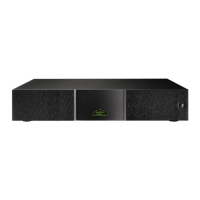
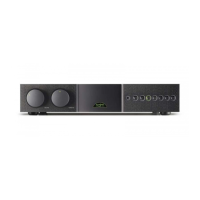
4 SUPERNAIT 2
Introduction, Installation and Connection 3
4.1 Mains Power Connection 3
4.2 Signal Inputs 3
4.3 Speaker Outputs 3
4.4 av and hdd Outputs 3
4.5 Headphone Output 3
4.6 AV Bypass 4
4.7 Other Signal Inputs and Outputs 4
4.8 Power Supply Upgrades 4
4.9 General Connections Notes 4
4.10 External Control and Interface 4
5 Controls and Connections 5
5.1 Front Panel Controls 5
5.2 Rear Panel Connections 5
6 System Connections 6
6.1 SUPERNAIT 2 with Hi-Cap Power Supply 6
6.2 SUPERNAIT 2 with additional
NAP 200 Power Amplifier 6
6.3 SUPERNAIT 2 with Hi-Cap Power Supply
and NAP 200 Power Amplifier 7
7 Amplifier Operation
and Programmable Functions 8
7.1 Automatic Input Switching 8
7.2 Handset Volume and Balance Control 8
7.3 Mute 8
7.4 Display 8
7.5 Switch-on 8
7.6 Remote Control 8
7.7 Defaults 8
7.8 Fault Conditions 8
8 Specifications 9
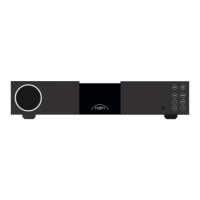
9 NAIT XS 2
Introduction, Installation and Connection 10
9.1 Mains Power Connection 10
9.2 Signal Inputs 10
9.3 Speaker Outputs 10
9.4 av and hdd Outputs 10
9.5 Headphone Output 10
9.6 AV Bypass 11
9.7 Other Signal Inputs and Outputs 11
9.8 Power Supply Upgrades 11
9.9 General Connections Notes 11
9.10 External Control and Interface 11
10 Controls and Connections 12
10.1 Front Panel Controls 12
10.2 Rear Panel Connections 12
11 System Connections 13
11.1 Nait XS 2 with FlatCap XS Power Supply 13
11.2 Nait XS 2 with Hi-Cap Power Supply
and NAP 200 Power Amplifier 13
12 Amplifier Operation
and Programmable Functions 14
12.1 Automatic Input Switching 14
12.2 Handset Volume Control 14
12.3 Mute 14
12.4 Display 14
12.5 Switch-on 14
12.6 Remote Control 14
12.7 Defaults 14
12.8 Fault Conditions 14
13 Specifications 15
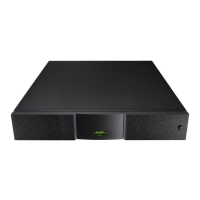
14 NAIT 5si
Introduction, Installation and Connection 16
14.1 Mains Power Connection 16
14.2 Signal Inputs 16
14.3 Speaker Outputs 16
14.4 hdd Output 16
14.5 Headphone Output 16
15 Controls and Connections 17
15.1 Front Panel Controls 17
15.2 Rear Panel Connections 17
16 Amplifier Operation
and Programmable Functions 18
16.1 Automatic Input Switching 18
16.2 AV Bypass 18
16.3 Handset Volume Control 18
16.4 Mute 18
16.5 Display 18
16.6 Remote Control 18
16.7 Defaults 18
16.8 Fault Conditions 18
17 Specifications 19
18 NARCOM 4 Remote Handset 20
18.1 Using NARCOM 4 20
18.2 NARCOM 4 Keys 20
19 Declaration of Conformity 21
20 Statutory Safety Warnings 21


 To Next Page