Page 61
7-2 Replacing the Mirror
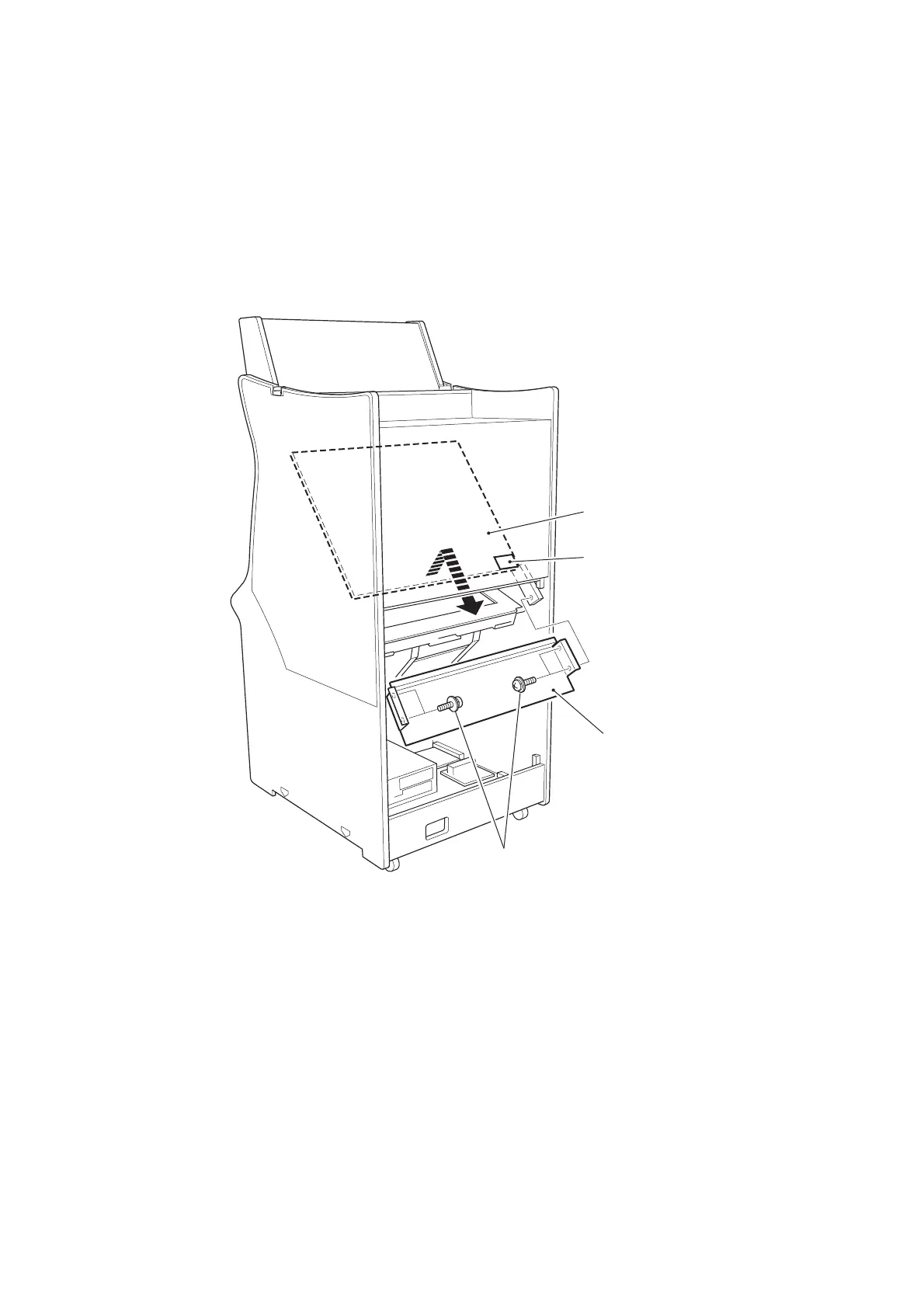
1. Remove the rear door from the Monitor Cabinet.
2. Remove 4off pozi head screws (M5x20), with flat and spring washers, and
remove the Mirror Stopper.
3. Lift the bottom edge of the mirror and slide the Mirror diagonally downwards to
remove.
4. Reassemble in reverse order.
Note: When refitting the Mirror ensure that the mirror is fitted the correct way
round, label on top.
Mirror
Mirror stopper
Fit the mirror with the
label in this position
(upper face).
Pozi head screws
(with flat and spring washers)
(M5
×
20)









 To Next Page