Page 43
6-2-1 Coin Options
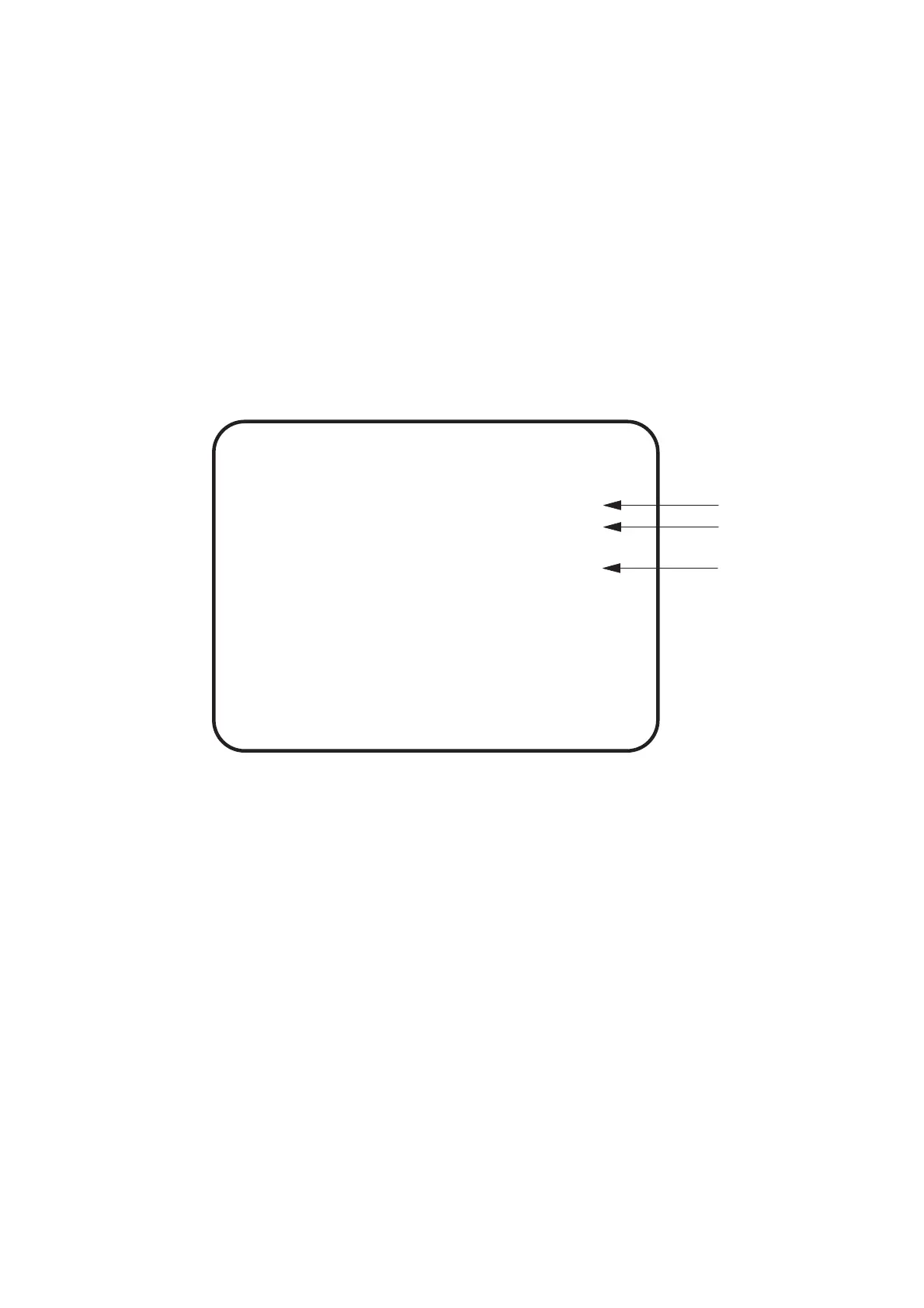
1. Select COIN OPTIONS on the menu screen to set the game cost and
related settings. The following screen is displayed.
2. Using the Select Up/Down switch choose the required item then press the
Enter button.
3. Use the Select Up/Down switch to change the setting.
4. Select EXIT and press the Enter button to return to the menu screen.
Note:- The price of play on this machine is set within the Cashflow Coin Mech. Ensure
that the Game Cost is set to 1 Coin 1 Credit.
(a)
(b)
(c)
COIN OPTIONS
[DEFAULT IN GREEN]
GAME COST 1 COIN/S 1 CREDIT
CONTINUE COST 1 COIN 1 CREDIT
FREE PLAY OFF
EXIT
SELECT SW : CHOOSE ENTER SW : ENTER
(a) Number of coins required to establish credit - - - - settable 1~9
(b) Number of coins required to continue game - - - - settable 1~9
(c) Free play option - - - - ON (free play) / NO (cash play)








 To Next Page