Need help?
Do you have a question about the Namron ZIGBEE 16A and is the answer not in the manual?
Shows the electrical connections for the thermostat.
Details how to physically install the thermostat.
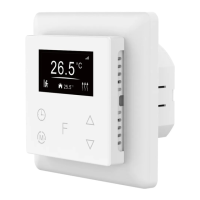
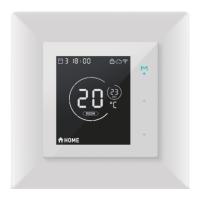
Describes the interface shown when the device is idle.
Describes the interface for previewing settings.
Explains how to switch between different operating modes.
Details how to set up the Away mode schedule.
Details how to set up the Auto mode schedule.
Explains how to use Manual mode for heating control.
Explains how to configure the Dry Mode for floor drying.
Describes the Off mode for idle status.
Explains the window open detection feature.
Real-time monitoring of over current, over heat, and freezing.
Describes how to handle over-current conditions.
Describes how to handle over-heat conditions.
Explains hysteresis for temperature regulation.
Configures button vibration and display brightness.
Enables or disables the automatic display power-off.
Defines which temperature (room or floor) is displayed.
Accesses other settings like vibration, control type, compensation.
Adjusts temperature readings for accuracy.
Describes the device's internal overheat protection mechanism.
Enables or disables the keypad lock feature.
Steps to add the device to a Zigbee network.
Steps to remove the device from a Zigbee network.
How to perform a factory reset via Zigbee.
How to control device modes via Zigbee.
Overview of the thermostat's Zigbee application endpoints.
Core thermostat functionality cluster details.
Lists supported attributes for the Basic cluster.
Lists supported attributes and commands for Scenes.
Lists supported attributes and commands for Groups.
Lists supported attributes for the Thermostat cluster.
Configures display brightness and button vibration levels.
Selects floor sensor type and heat control sensor.
Sets device status after reset and floor sensor calibration.
Configures Dry Mode duration and displayed temperature.
Sets the threshold for window open detection.
Configures hysteresis and display auto-off function.
Sets temperature alarm thresholds and Away Mode.
Lists supported attributes for the Simple Meter cluster.
Lists supported attributes for Electrical Measurement.
Lists proprietary attributes for the Electrical Measurement cluster.
Sets the user-defined over-current value.
Lists commands for the Alarm cluster.
Explains the Time cluster and its usage.
Lists attributes for the Occupancy Sensing cluster.
Lists supported attributes for Thermostat UI Configuration.
Describes the process of firmware upgrades via OTA.
 General
| Protocol | Zigbee |
|---|---|
| Max. Load | 16A |
| Communication Protocol | Zigbee |
| Compatibility | Zigbee compatible systems |
| Power Supply | 230V |

 To Next Page