6
③Color Temperature setting:
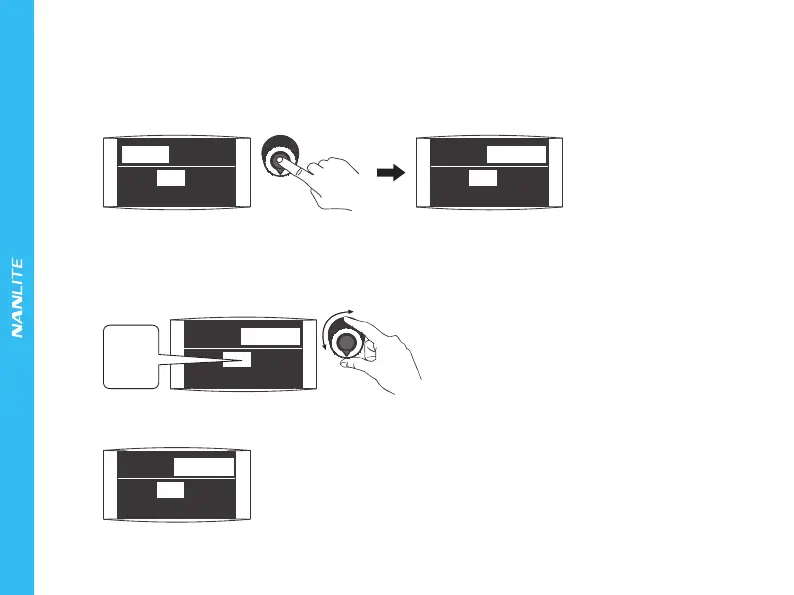
Press in the "left knob" to enter the color temperature setting, rotate the"left knob", clockwise to increase the color
temperature while counterclockwise to reduce the temperature. Color Temperature range: 2700K - 6500K.
Note: If you wish to return to the DIM setting, press in the "left knob".
④FX setting:
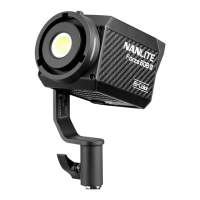
Rotate the " right knob" to select the desired special effect. Forza 60B has a range of built-in effects - OFF,
CCT LOOP, INT LOOP, FLASH, PULSE, STORM, TV, PAPARAZZI, CANDLE/FIRE, BAD BULB, FIREWORK,
EXPLOSION and WELDING.
(1)If the FX is off that means the effect is inactive.
100%
FAN:ON
5600K
100%
FAN:ON
5600K
Press in the "left knob" to enter the color temperature setting.
Rotate the "right knob" to select the desired
special effect.
FX:OFF
OFF
.
.
.
WELDING
100%
FAN:ON
5600K
FX:OFF
FAN:ON
5600K100%
FX:OFF
FX:OFF


 To Next Page