6
2. CCT Mode Setting
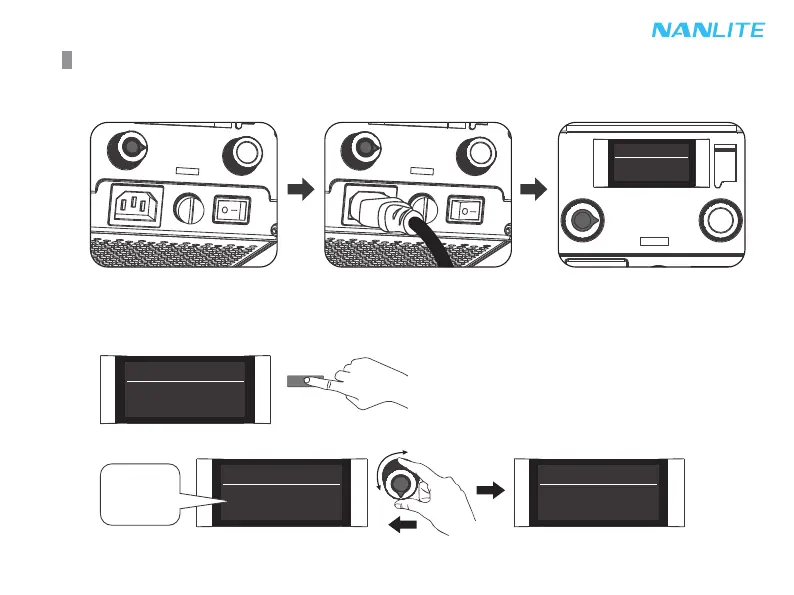
Press MODE button to CCT mode, rotate the "left knob" to set the DIM (DIM range: 000%…100%),
rotate the "right knob" to set the color temperature (CCT range: 2700K…6500K).
Press MODE button to CCT mode.
Operating Instructions
1. First ensure that the power switch of the fixture is off. Now turn on the light, the LCD screen will display all the
relevant information for the fixture.
CCT CH: 512
000% 5600K
MODE
CCT CH: 512
000% 5600K
CCT CH: 512
000% 5600K
CCT CH: 512
100% 5600K
Rotate the "left knob" to set the DIM.
0%
.
.
.
100%


 To Next Page