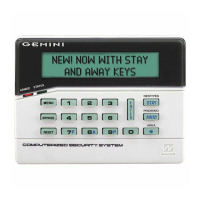
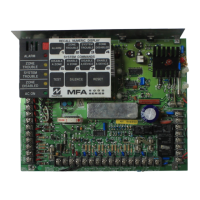
NAPCO Gemini C-Series Control Panel Installation Instructions--Volume 2
Installation Instructions, Volume 2 Page 21
FIRE GLOSSARY
Note: Displayed messages shown are for the GEMC-FK1 keypad. Refer to the Gemini C-Series control panel Programming In-
structions (WI1673) for address number locations.
AC Failure
AC-Fail Report Delay
If AC power is removed from the Gemini C-Series control panel or a brownout (voltage dropping below 102VAC) is detected,
"E01-00 AC POWER FAIL" will display at the keypad with a flashing "SYS/TBL" reminder and a pulsing sounder. In addition, the
green AC ON keypad LED will turn off. Press RESET to silence the sounder; the "SYS/TBL" as a reminder will remain on in the
display.
AC Failure may be programmed to activate a Fire output or any external output. AC failures MUST be reported to the central
station within 60-180 minutes after loss of AC power (program Panel AC-Fail Report). An alarm and/or restore report to the
central station will occur immediately unless an AC-Fail Report Delay is programmed (see Time Selection). AC failures are
logged immediately upon detection.
If AC power is removed from either the GEMC-12V2APS or the GEMC-NACXX, a system trouble will display at the GEMC-FK1
Fire keypad, followed by the zone number to which the power supply is connected, and the zone description .
Access Number for Outside Line
Some subscribers will have a telephone system that requires one digit to access an outside line. The first dial tone encoun-
tered (prior to the access number) may have a frequency that is different from that of the accessed dial tone (440Hz). One or
more 4-second Pre-Dial Delay "D"s may be entered before the access number instead of a dial tone with frequency "E". See
Pre-Dial Delay; Telephone Numbers. (Note: The panel features automatic dial-tone detection and will normally not require any
"E"s. To disable this feature, program an "8").
If the subscriber's system uses an access number, contact the telephone-equipment supplier to find out if a dial tone other than
440Hz is received prior to dialing the access number. If the communicator must delay before dialing the access number in-
stead of attempting to recognize the dial tone, find out how many 4-second delays must be programmed.
Alarm Outputs (See Wiring Diagram for UL requirements); see the section "CONTROL PANEL OUTPUTS" earlier in this manual.
Alarm; Alarm Restore Telco 1/Telco 3 See Report Telco 1/Telco 3
Alarm; Alarm Restore Telco 2 See Backup Report on Telco 2
Answer on Ring Number See Callback-Method Download
Anti-Jam Time
If the communicator does not detect a dial tone within 7 seconds, the Anti-Jam feature will be activated. That is, the communi-
cator will go off line for a 16-second anti-jam interval in order to free the telephone circuit from an incoming call, then make an-
other 7-second attempt at dial-tone detection. If still unsuccessful, the communicator will again go off line for 16 seconds, then
proceed to dial anyway.
Areas
Zone Area 1-Zone Area 8
All Fire Zones must be programmed for "Zone Area 1 (Fire)". Each zone must be assigned to at least one area. For Fire sys-
tems, at least one zone must be assigned to Area 1 (for Burg-Only systems, Area 1 is not used).
In a multiple-area system, be sure to also program:
• Enable User Code by Area;
• Keypad Area Assignments;
• System Trouble Subscriber ID Number
Backup Reporting Telco (Central Station) #1 / Telco (Central Station) #2
Normally, 10 attempts to communicate will fail before Fail to Communicate trouble is triggered. Note: If two separate tele-
phone lines are enabled, each subsequent attempt will alternate between the two telephone lines. If Backup Reporting is se-
lected and the communicator does not reach the first telephone number after 5 attempts, 5 attempts will be made to reach the
second telephone number before a Fail to Communicate trouble is triggered. Enter Subscriber Identification Numbers for
Telephone 2 and other information required for Telephone 2. Also program Backup Report on Telco 2. Any zone programmed
to report to Telco 1 will backup report to Telco 2. Note: Subscriber Identification Numbers for both Telephones 1 and 2 must
be entered, even if they are the same.
Battery
The C-Series control panel motherboard has 24V battery backup used to provide backup protection in the event of a power



 To Next Page
 Loading...